The past week I have been putting my technical skills in mobile application to the test. I feel that I must elevate my abilities in this department to a professional level in order to be an assist to any future companies I work for in the future. Furthermore, I may be building a mobile application (pending user research) for my thesis so I want to ensure that I am more than capable to realise goals I set for myself. I have been anticipating mobile development since my first semester of my Masters. I enrolled in Object Orientated Programming in order to refresh and enhance my ability in Java and OOP in general. Continue reading →
This goal of this group project was to design and develop an interactive visual artwork with OpenFrameworks, demonstrating the skills we had learned using XCode such as MIDI, keyboard entries, vectors, Haarfinder, Vidgrabber, ofMesh, VBO, classes.
Concept
Our project deals with the visualization of sound, specifically visualizing the human voice in an interactive and immersive way. The driving idea behind this piece is relative to how we use specific communication channels in order to perceive sound and visuals. Ordinarily, it is the auditory system that deduces sound characteristics where as visual perception calculates what we see. Our project intends to explore the crossover that can occur between these two. The bahaviour of the visual is completely dependent on the interaction of users. Results in output vary. It adds an interesting element to the mix when you consider how different people’s interactions may contrast and what the resulting visuals will look like. We wanted to emulate the visual process of hearing in our piece. Real life vibrations in the air come to fruition through our ‘exploding sphere’.
User Vocal Interaction
When it is at peace
Design
The design of our visualization aspires to be simple and concise in an effort to make how the user connects their vocal input to the mirrored abstract visual on screen seamless. There are two key components that make up the output: the 3D sphere and a moving graph. These exist virtually within a 3D spherical grid space, introducing an element of depth. Focusing on the sphere first, it rotates on a fixed position and is made up of a vector of triangles that can be split. How it behaves is dependent on the ofSoundStream. As amplitude is monitored, it is scaled and mapped in real time. The scaled volume data determines the behaviour of the triangle vectors that make up the sphere. The louder the incoming sound, the greater distance the triangles disperse. Unless the system is in Mode 3, the sphere will always resume its original shape.Additionally, three light sources shine upon the circumference of the sphere enhancing the 3D presence using ofLight.
The graph on screen acts as a secondary source for audio representation. The graph collects the recent activity of sound within the buffer, iterating through the data volHistory, and deleting the oldest input data. It exists within the background of the piece. This is also achieved using a vector and further maintains the bond between sound and visuals. Information display moves from left to right.
There are also various states that the piece can assume. Ultimately, the behaviour of the shape shall represent user interaction but aesthetics and dynamics can be altered using the mouse and keyboard. There are three modes that the system can be in. Mode 1 uses a .png image as the texture of the sphere. Mode 2 uses the live webcam feedback as the texture while Mode 3 uses the former .png image. Mode 3 differs in dynamics because as the triangles disperse they do not reform to the original shape, introducing an interesting deconstruction of the shape that will remain until state change.
In addition to being able to shift between these modes using the left and right keys, a user can choose the amount of triangle splits by selecting a key with 1-4, four consisting of the largest amount of triangle splits. The user can also press the mouse to control the speed of rotation. The speed is relative to the position of the cursor on the X-axis while pressed. A series of Booleans also turn on and off states such as wireframes, points of splits and fill of the shape.
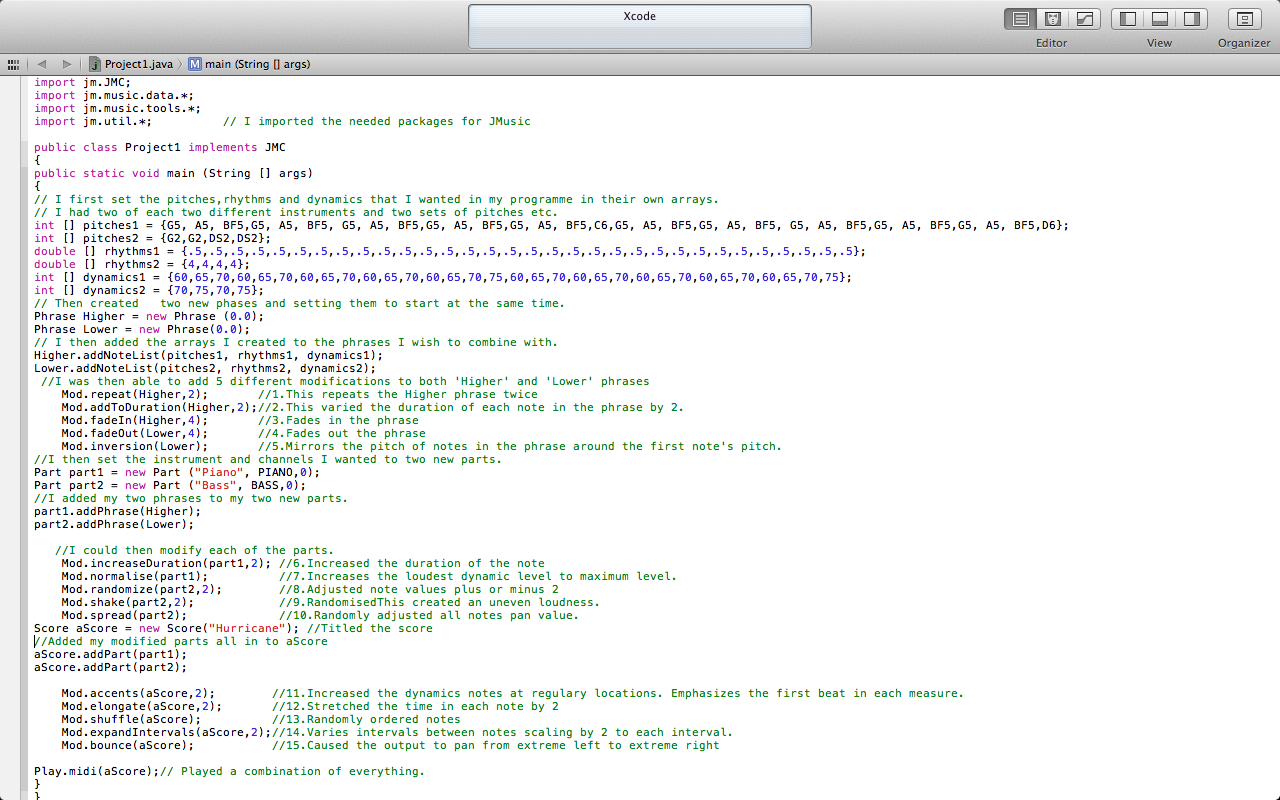
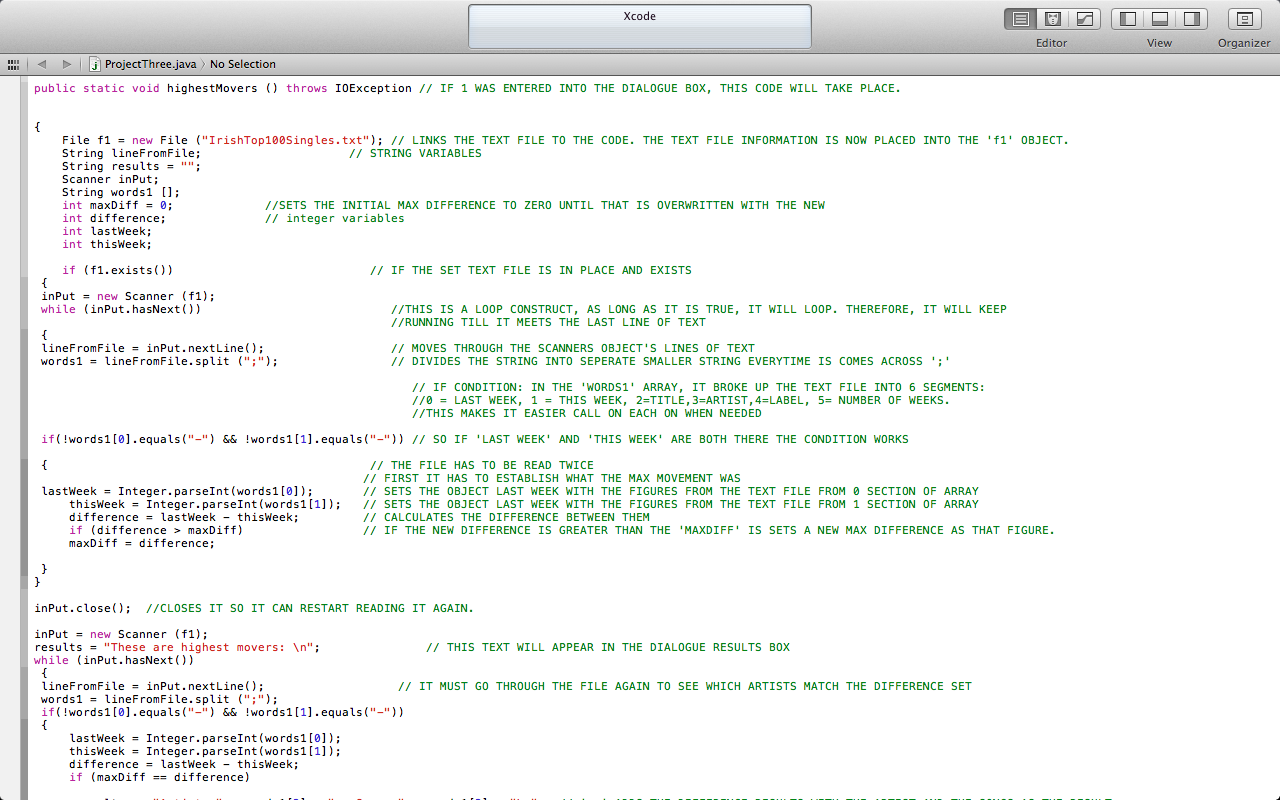
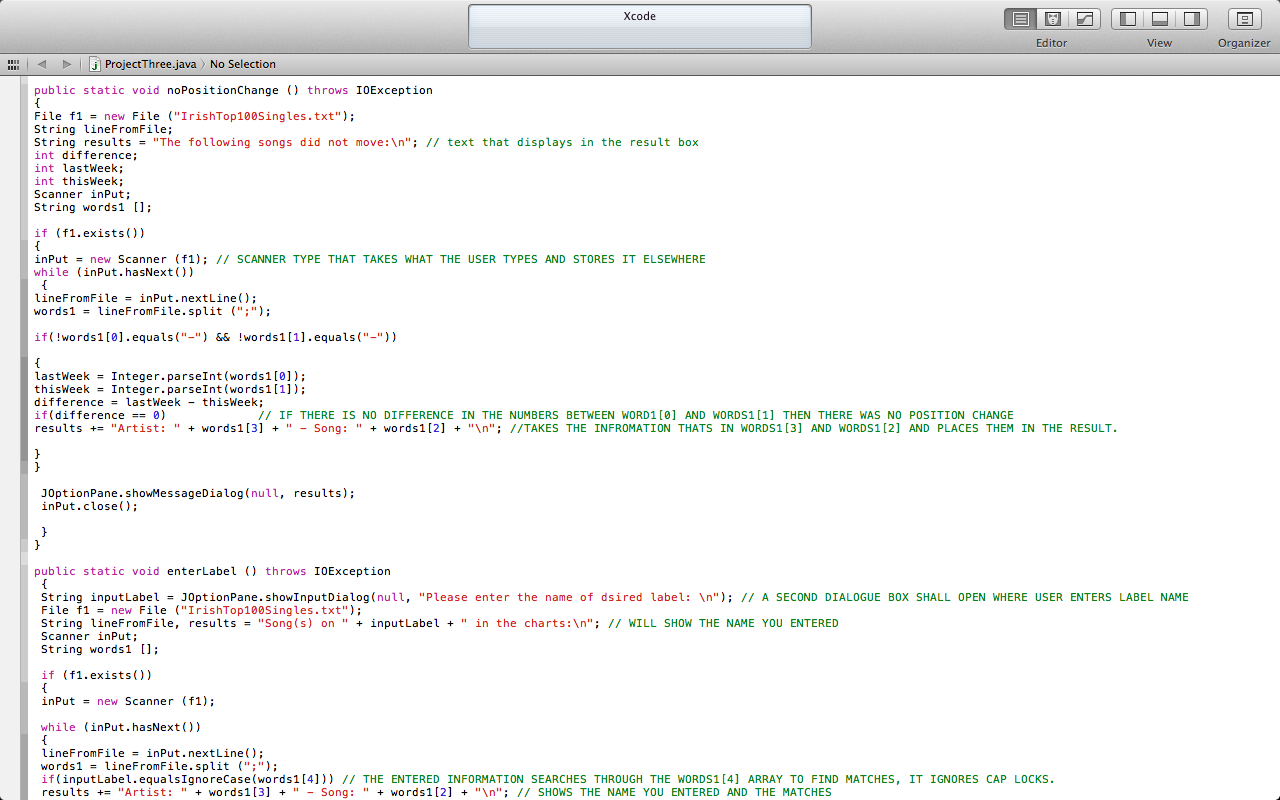
During my 1st year studying Media Programming, learning the basics of the Java language was foundational. We would practice different coding each week so we would become familiar with inputting data, why we were inputting it, what to expect and also how to troubleshoot errors we come across. Below I have taken screenshots of the three projects that made up part of our end term. The projects were a mixture of sound, using JMusic library, and user input. Click on the images below to see my work and explanation of specific segments of code.
Project 1:Within this project, I wrote a programme which used arrays, phrases, parts and scores to give a midi output. As seen in the image I first declare my variables. Phrase then sets the time I want the melody to begin. Part sets the instruments and channels I wish to use. Ultimately these all go to aScore. During this process I add modifications to each part to display what Jmusic is capable of.
Project 1 Source Code section
Project 2: In this second project, we once again used JMusic but this time we were to integrate a menu using JOptionPane.showInputDialog. When the user ran the programme, a menu would appear display options to select from. Depending on which number was selected, it would run this process. This programme was written to upload files and preform the task selected at the menu.
Project 2 Source Code Section
Project 2 Source Code Section
Project 3:Within this programme, a menu will appear to the user which will display a few options for them. The difference with this programme is that I imported a scanner. This means that Java will read the text files I have saved along with the programme and will calculate the outputs based on these text files.
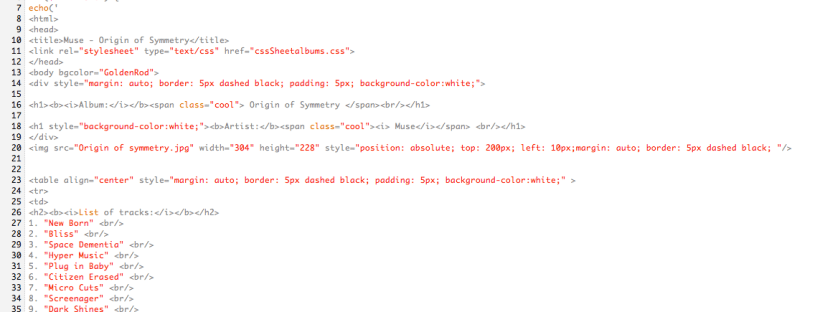
Early 2012, myself and my classmates were given our first project in our module Web Development. It was set to test our abilities in making a very basic HTML page. I realized that there was similarities between creating web pages and what I had learned using Java. Both require a good understanding of writing code. Taking what I had learned from lectures and also the recommended website (http://www.w3schools.com), I had to create fiveseparate HTML files. Each one would be a track listing of five of my favorite albums. We were encouraged to be creative and unique as possible i.e use attractive fonts, appealing layout, video links, using CSS sheets. I used MAMP to run these pages via my local host.
Creating a basic interactive page
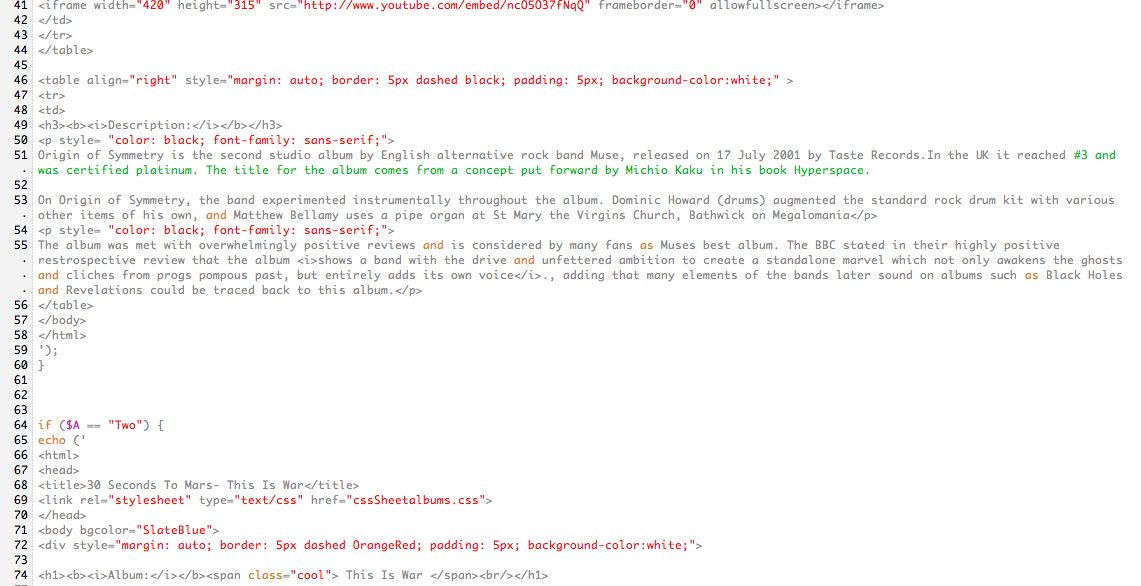
In addition to these 5 HTML pages, I incorporated my knowledge of PHP in order to introduce interactivity allowing a user to toggle between the pages. To begin with, I decided to create my HTML page first, with the drop down list. I had already created a CSS file with instructions so I was easily able to surround my drop down list with a nice border I set up. When I was creating the list, I assigned each album a number so that it could refer to it when I ran it through PHP i.e ‘One’ would relate to ‘Muse’.
Selection Page
This meant that the HTML would call on the ‘myphp.php’ file that I had also created. Once I was satisfied that my code was correct and should work once I created the PHP file, I decided to design my page to make it more attractive. I set the background to sky blue. The page seemed very plain so I added some .jpg images to the bottom of the screen. Each image was of the cover art of each album (I also inserted a ‘Welcome’ picture). I manually set the location of each image to line them up perfectly (top: xxpx; left: xxpx) and also gave each image a dashed outline. I wanted to make each image clickable so I linked each image to the each of the band’s homepages. Whatever option was selected in my HTML link would open up the desired page. I set it that $A would be equal to whatever was selected in the drop down. In turn, I could then use if conditions to initiate pieces of code i.e if $A == ‘One’, then this would call on my code for the ‘Muse’ page and therefore linked the Muse option in the list and the album page together. In each album page, I made use of my CSS sheet and made the headings of each album page the same. I set each background and table colours differently to suit the artwork I placed in there. My aim was to make each page appealing and very clear. Using table tags I was able to neatly format my pages. I sometimes overwrote the original CSS settings to suit particular pages also i.e with the tags. A brief description of each album was placed at the end of each page in sans serif , for easier reading.
My Arctic Monkeys Page Screenshot
My The Strokes Page Screenshot
What I learned:
Basic coding in HTML, PHP, CSS and how they interlink.












 Stuart Creates