Real Time Data Ambient Display

Title

Creating an ambient display in order to explore the tensions that exist between the aesthetic and functionality within ambient informative art.

Project Summary

The intent of this project was to investigate the intersection between the aesthetic choices digital artists make when designing an ambient display and the information those aesthetics can deliver. It examined the line between aesthetics and utility in informative ambient displays; the process in which artists create informative art, and how those who observe these artistic mediums can perceive the working forces behind the abstract forms presented.

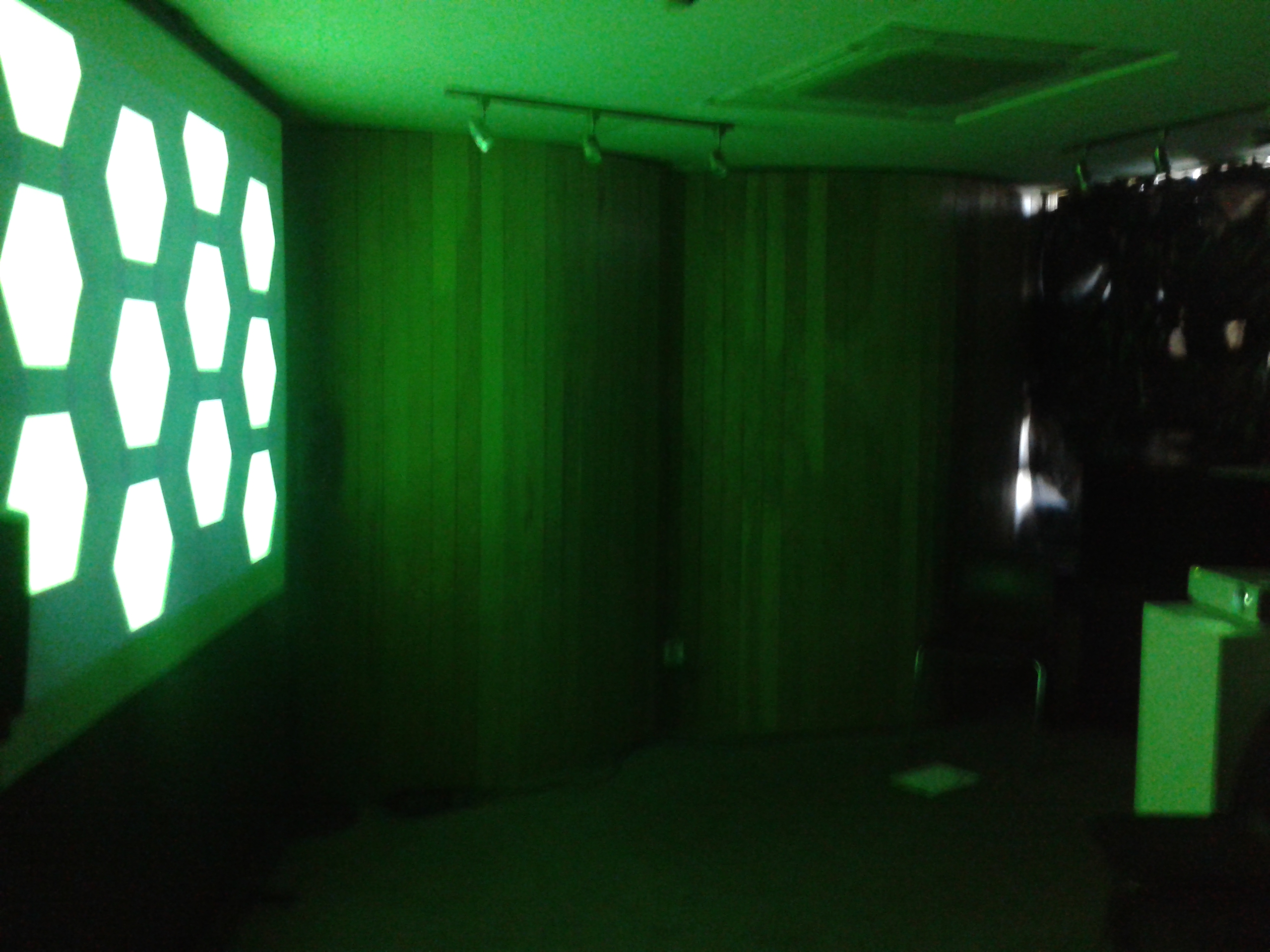
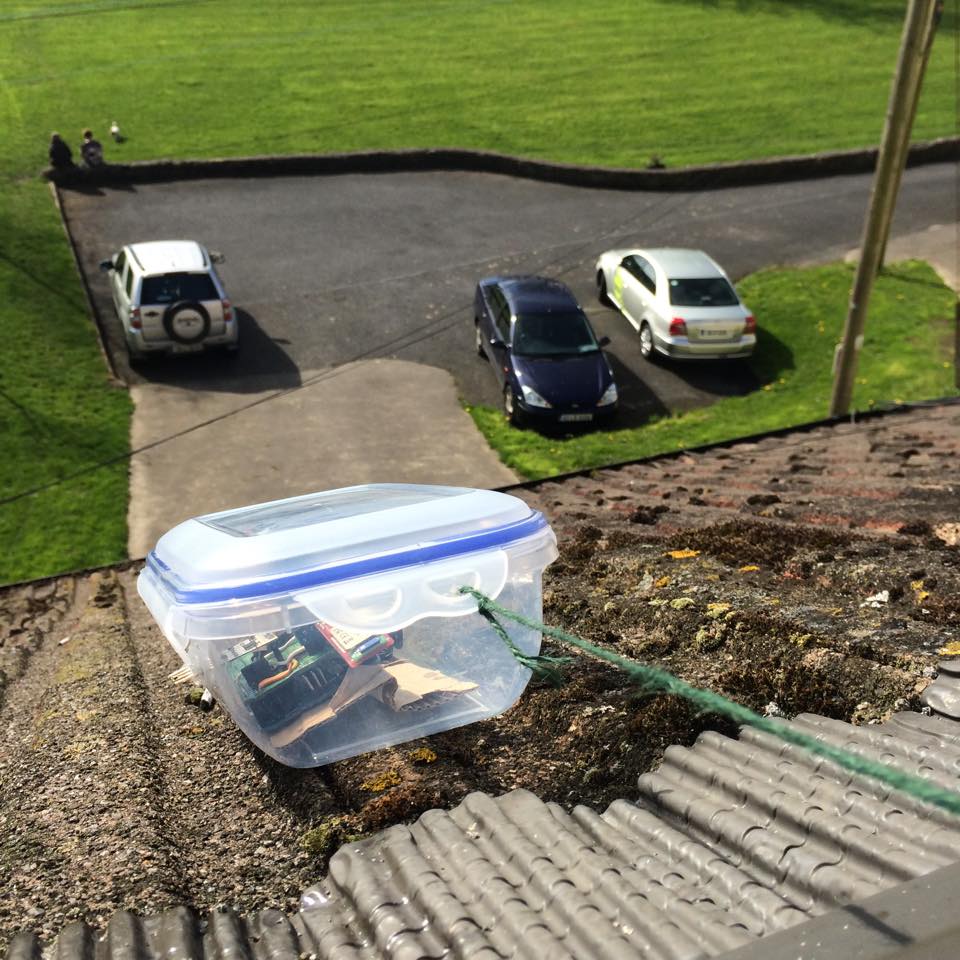
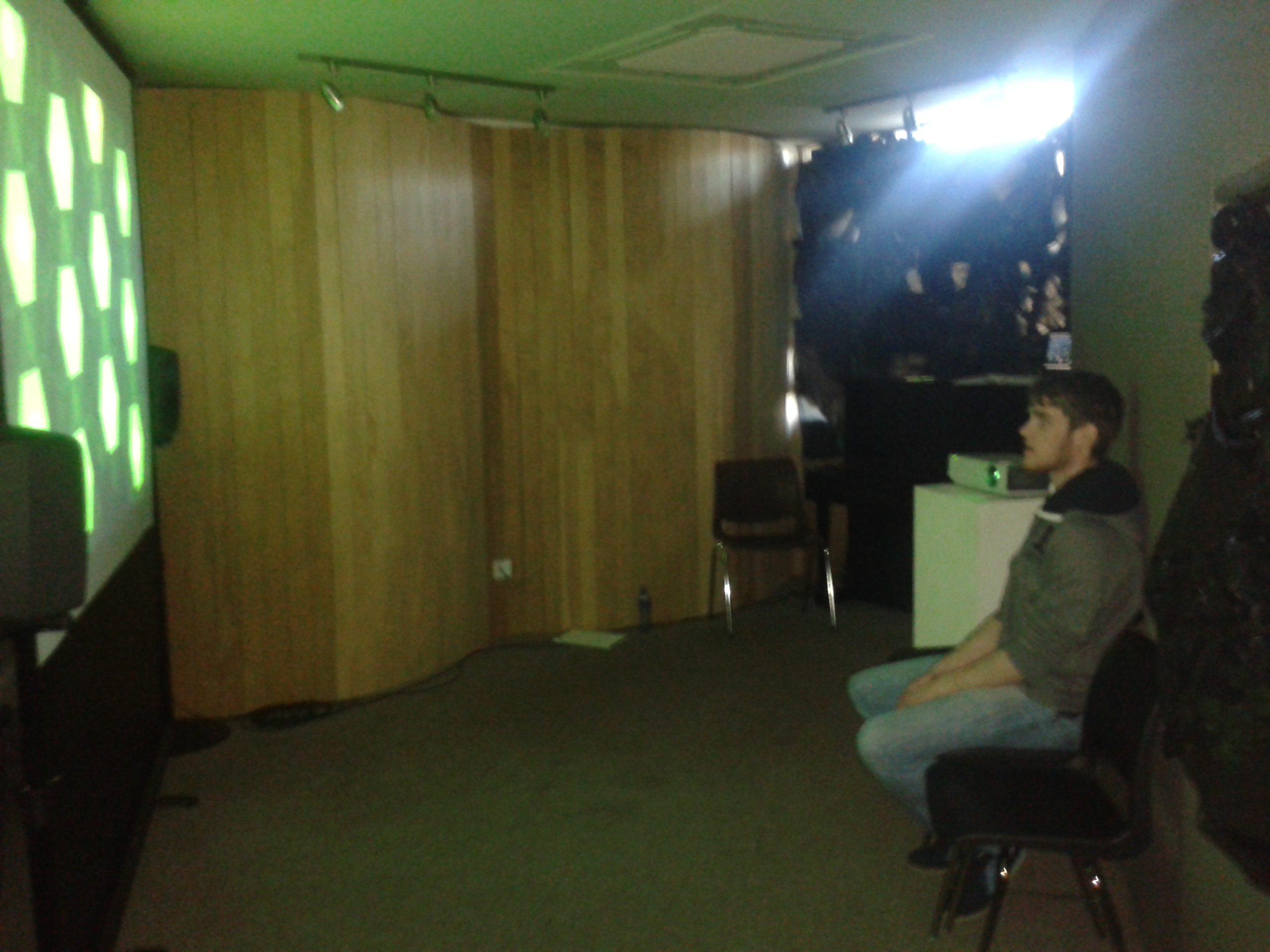
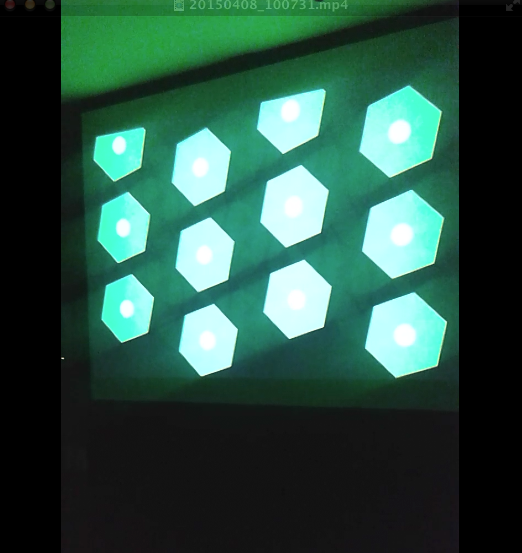
To assist the extensive research regarding aesthetics and utility, an ambient weather display was created that could transmit information in the background or the periphery of a person’s attention, whereby a person could check the state of a display by glancing at it and not be overwhelmed with information processing. This ambient display used both audio and visual communication channels to inform observers of the current weather conditions based on where the weather station was located. A mini weather station was designed and placed outside the Computer Science building in UL whereby its meteorological sensors acted as inputs to generate a dynamic soundscape and visualization in real time indoors. Through data analysis, normalising data and mapping techniques, the output of data was more than arbitrary. The colours, speed of movement, positioning of shapes, key, scale etc. created changed to reflect updates in the data thus becoming a narrative. The metaphorical data output prompted a link with the human minds understanding of the world relating to weather via the aesthetic contextual undertones that may worry, annoy, relax, and excite a person.

Software used
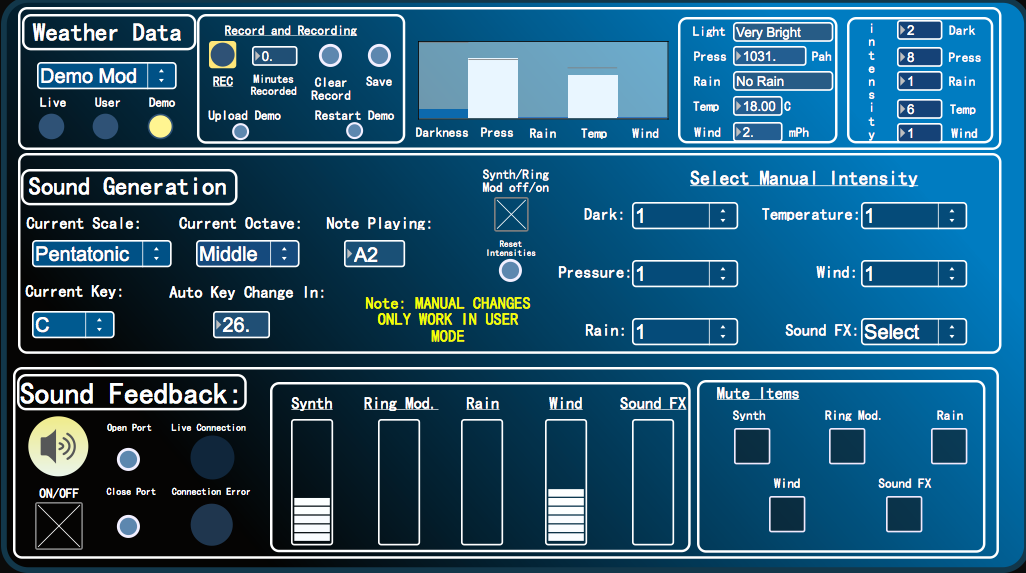
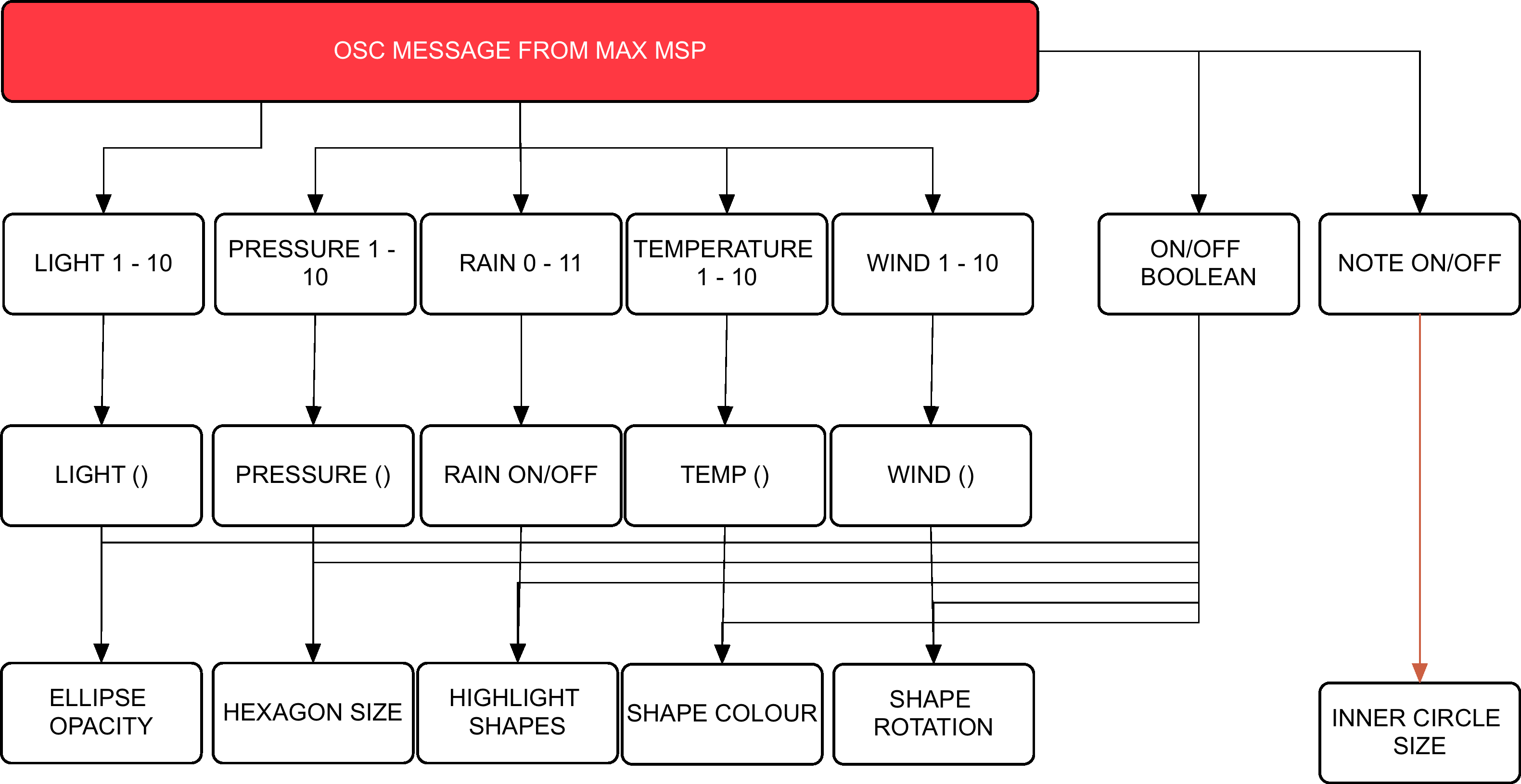
Arduino controls the meteorological sensors that monitor weather behaviour. This data is then sent to Max MSP via the Bluetooth module. Max MSP is responsible for calculating the weathers ‘pleasantness’, generating the audio attributes of the project and then passing the intensity levels onto Processing in a form of OSC messages. Processing then generates the visuals on screen whereby the dynamics will synch with the audio output.

Hardware

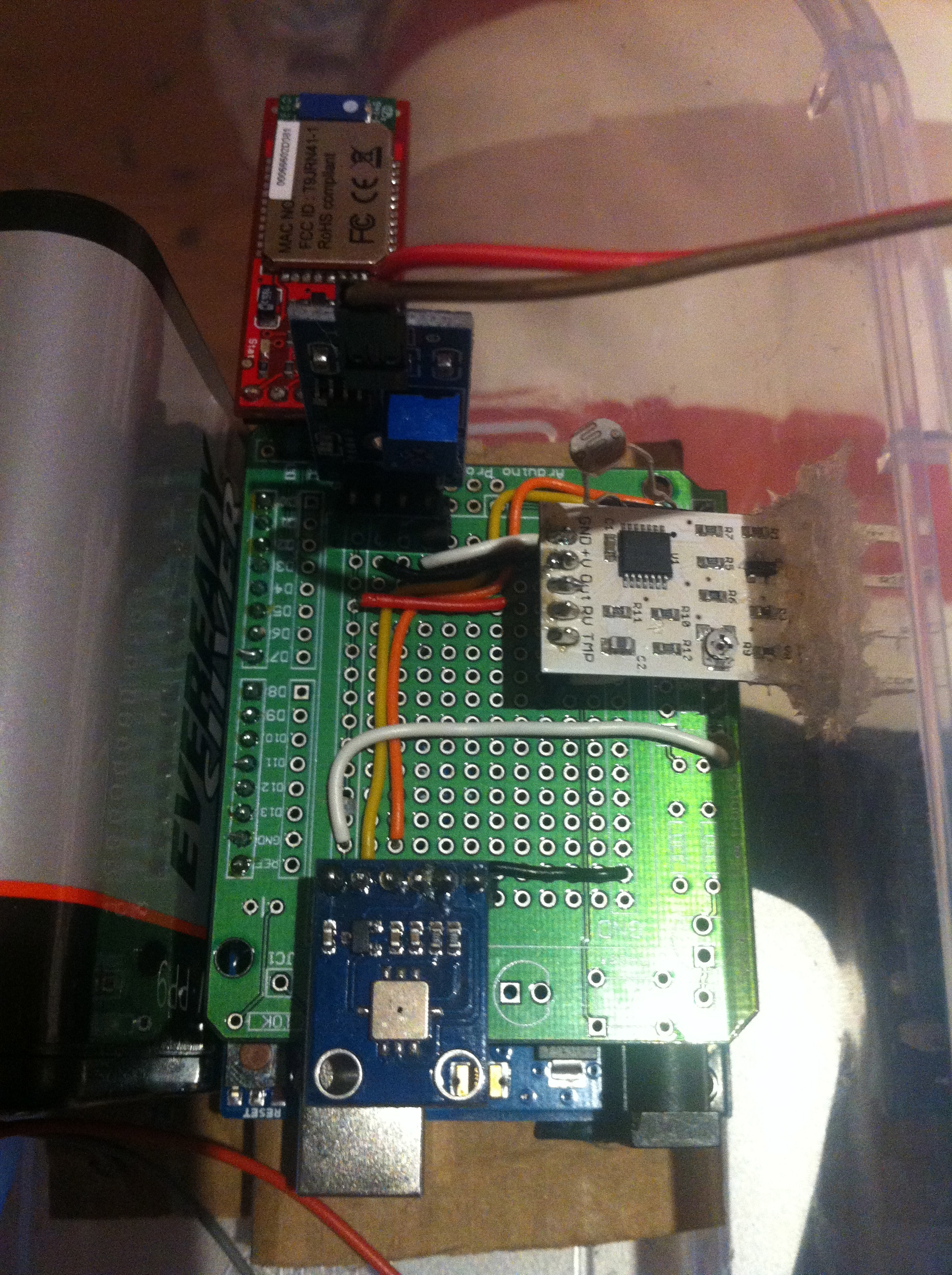
Arduino Uno, Barometric/Temperature Sensor, Rain Sensor, Wind Sensor, Photocell, Bluetooth Module, 6 AA NiMh batteries.

Microcontroller & Power Supply:

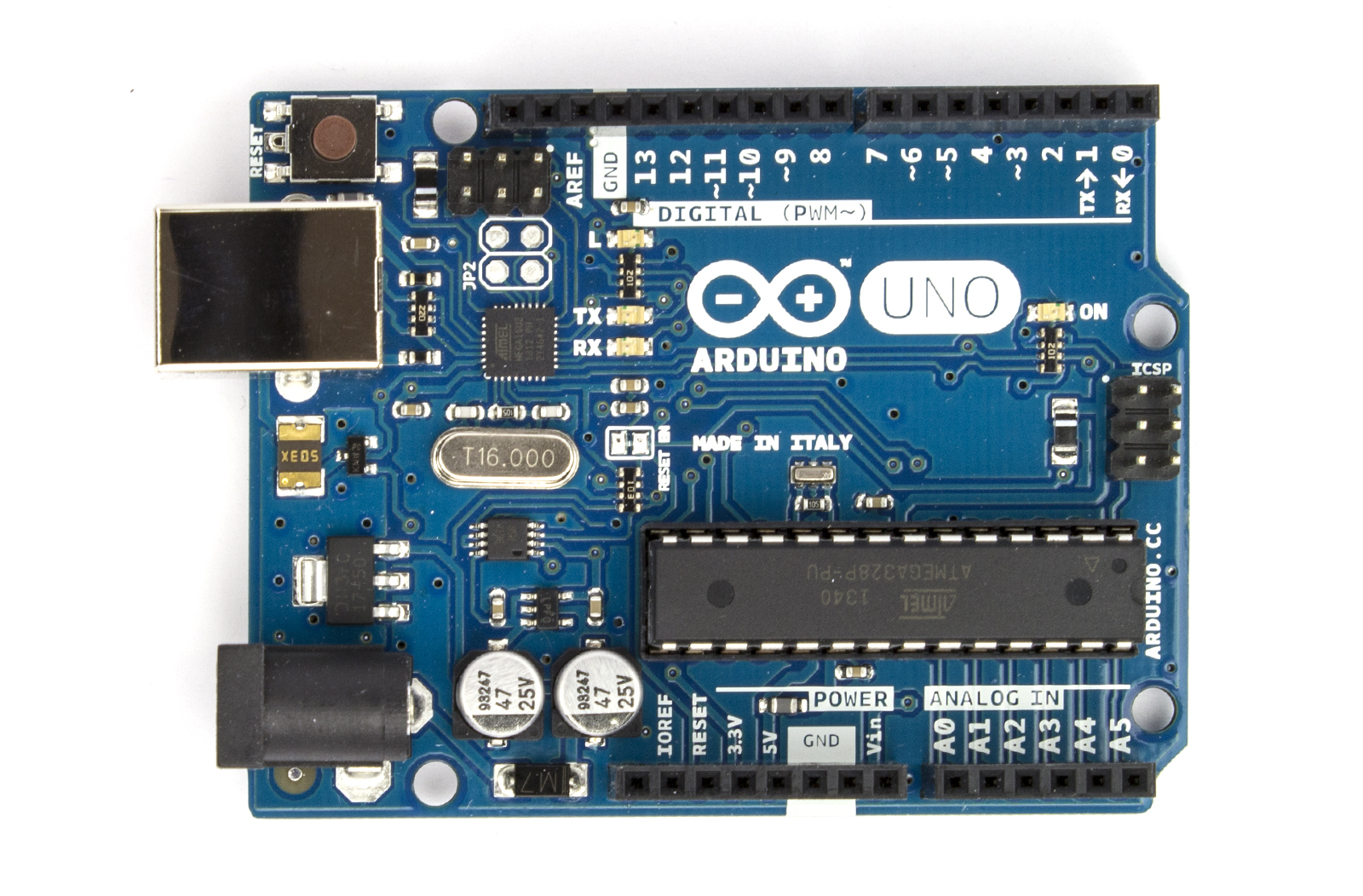
The type of microcontroller that was chosen for this project was the Arduino Uno R3. This is a microcontroller on a circuit board, which makes it easy to receive inputs and drive outputs. The Arduino Uno can be used to develop stand-alone interactive objects or can be connected to deliver data to software on your computer (e.g. Processing, Max MSP). Programming can be uploaded to the board to dictate its performance. The board provides the project with what is needed to incorporate several sensors, send data and also allow external power source. Through testing various power supplies (9v pp3, 9v pp9 and a pack 4 Alkaline 1.2v batteries all failing requirements) the best alternative to bring power to the circuit was a pack of 6 NiMH rechargeable batteries that had a capacitance of 2000 mAh each.
Arduino Uno

Arduino Uno

Photocell

The goal with being able to monitor the amount of light was an attempt to deduce the amount of cloud coverage. If there was more overcast as a result of blocked sunshine, then light levels would reduce. Light levels of a specific area could be assessed using a basic miniature Photocell. Photocells are capable of reacting to ambient light. Experimentations were considered with various resistors to accompany the photocell on the circuit but ultimately the Arduino’s internal resistor, 20k resistor, was called into use via the sketch. Any subtle changes in light values were to be monitored using specific ‘if statement’ objects within Max MSP.

BMP085

Air pressure and temperature are two key features when determining weather state. Low barometric pressure and temperature signifies ‘unpleasant’ weather whereby high-pressure readings and high temperatures normally result in ‘pleasurable’ weather. Fortunately there is a sensor that can monitor both, the BMP085. Precaution has to be taken when mounting this sensor. Its data sheet indicates that it must be well ventilated, advice that needs to be deliberated considering the weather station will be situated outside and exposed to hot air being trapped within the enclosure, resulting in inaccurate readings. The sensor itself is also sensitive to light. It can influence the accuracy of the measurement of the photocurrent silicon.

BMP085

BMP085

Wind Sensor

Cautious installation had to be implemented for the final two meteorological sensors; wind and rain. This is because these two need to be exposed to the outside of the enclosure, with non-waterproof parts remaining protected from the elements. The way that the wind sensor is constructed allows the tips of the sensor to be exposed through a slot or detached from the main body and extended. The sensor uses a traditional sense of measuring wind speeds. It uses what is called a “hot-wire” technique. A constant temperature of an element is maintained. The wind changes will then vary the temperature of that element and it is the measurement of the amount of electrical power needed to maintain the constant.

wind sensor

wind sensor

Rain Sensor

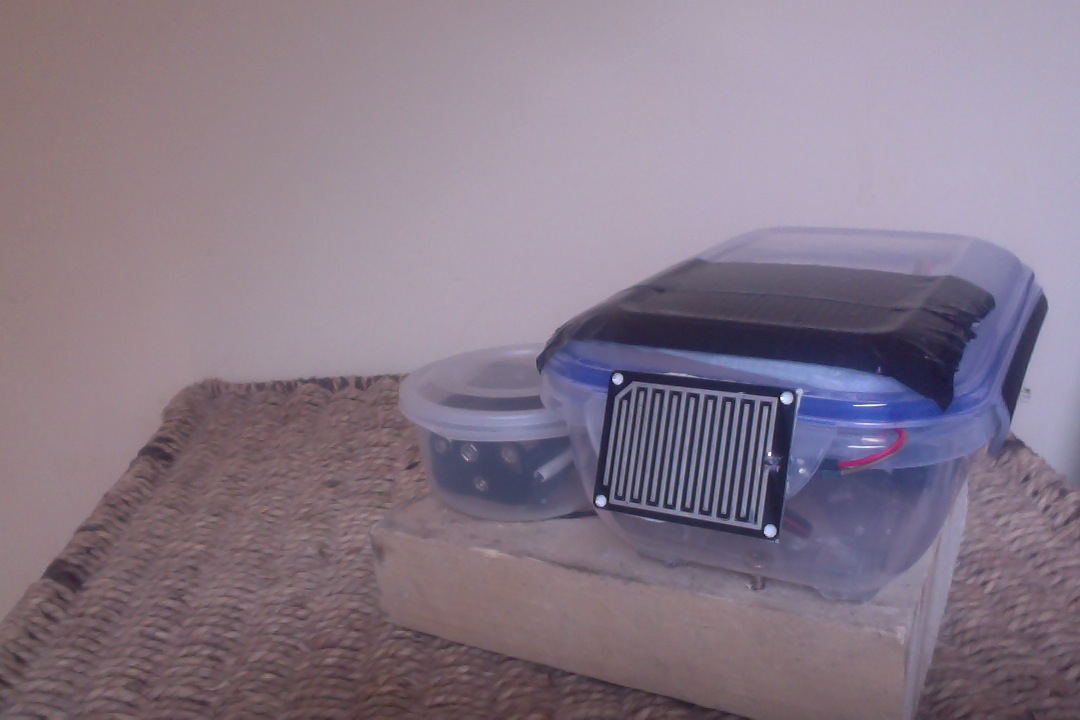
The rain sensor is equipped with a board to be exposed to the rain and a control board, which will be integrated into the circuit within the enclosure. The basic explanation of how this sensor works is that it is an alternative variable resistor. The rain board that sits outside the enclosure will determine how much current will follow through it based on the wetness of it. The wetter the board, the more current is conducted. The project circuitry uses an analogue pin to receive signal in oppose to using the digital ones. This way can determine just how wet the board is ranging 0 – 1023.

rain sensor

rain sensor

Wireless Communication

For a project of this magnitude, using Bluetooth as a means of communicating data seemed appropriate. This means that distance between station and a paired computer point is limited to 10 meters at best but, given the correct location, would function perfectly. The BlueSMiRF Gold was selected as the most suitable for sending the weather stations data. It is capable of doing so by establishing a connection with the paired computer’s Bluetooth serial port and performing serial communication.

Bluetooth Module

Bluetooth Module

Photo Gallery

This slideshow requires JavaScript.

Videos

FYP Video Gallary

Demonstration Presentation:

Brief Code Overview:

Demo Day:

Prototype Logging:

FYP Image Gallery

Demo Day

Demo Day

Demo Day

Demo Day

Outdoor Station

Outdoor Station

Observer

Observer

Visualization

Visualization


Finished Station

Finished Station

Screen Shot 2015-04-15 at 02.26.54

User Interface


Screen Shot 2015-04-13 at 01.38.18

Final Product Visuals

Circuit

Circuit


Schematic

Schematic

Exposing Wind Sensor

Exposing Wind Sensor


PROCESSING

Flow Chart Visuals

MAXMSPFLOWNEW

Flow Chart Audio


Max Patch Development

p3 averaging

Weather Average to select scale


Scale Intensities 1-10

Scale Intensities 1-10


Processing: Twitter Balloons

Created 2014:

The objective of this project was to create an audio-­visualizer of data from a web-­stream. It works in fullscreen on a screen of any resolution. It is an an exported application that makes use of a settings.txt file  to setup the parameters of the system. Info-visualizations need to tell the story of the data in a minimal & attractive way. The system should:

1. Acquire & Parse the data stream
a. Computer Science

2. Filter & Mine for only the data that you need
a. Mathematics & Statistics

3. Represent as information reveals story/pattern behind the data
a. Graphic Design

The real time data that I used for this visualization is what could be acquired from Twitter. From using the Twitter API, peoples names, screen names, keywords, topics, followings, location etc. could be streamed. This data stream would then be filtered for only the information that I desire. The values obtained are used to scale outputs i.e. the length of the screen names, determined how big a balloon would look. The nature of the data stream Twitter provides reflects more on the personality of a user. It creates a digital clone of a user that exists in this ‘cloud’.

Initial Design

Initial Design

Twitter is used as a medium for users to share their thought at that particular instance with the world. People are then willing to let go of that information to higher power, which is this ‘cloud’. All this data is accumulated from all over the world with thoughts, opinions, topics etc. all co existing. The fundamentals of the graphic is design is to depict how all these opinions of the world exist and float out there separately but held together by the common denominator which is Twitter. I created what looks like balloons floating in the sky.

Development with PImage

Development with PImage

As the programme runs, the amount of tweets shall increase. As they accumulate, the user can observe and study how opinions may vary in certain topics. All these different opinions are tied together by this cloud of data. The center circle will slowly increase in size as the tweets build up and things become more chaotic. The user can also compare the ratio between people having followers to following people through the number/bar display. If they change (or add to) the, txt. file, they can compare the frequency of keywords being tweeted. Things appear calmer with less amount of tweets on the screen.

Demonstration:

Music – YogaBrickCinema: https://www.youtube.com/watch?v=BUaFugdLWyE

Video Explanation:

What I enhanced:

  • The use of classes
  • Better understanding of arraylists
  • How to import real time data and use it as I like.

Processing: Generative Screensaver

Created 2014:

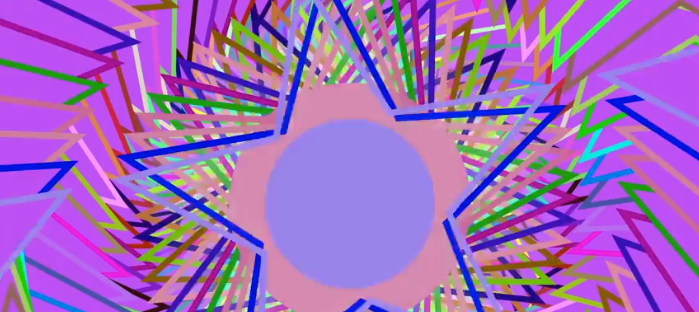
For this project, I created a standalone generative visual to run in fullscreen on a computer screen of any resolution. This was done using Processing. The visual is open­‐ ended so that it can run indefinitely. In the initial stages of my project, I researched what kind of animation could be most engaging to a viewer. I wanted to create something that looped over and over but changed its variables such as colour, scale, and direction of movement repeatedly. I wanted to create some form of kaleidoscope in its simplest form. The image changing but previous elements of movement remain. I drew influence from the kaleidoscope works of Jordi Bofill of Cosmo Arts.

The graphic design is made up of five stars that each have an ellipse with in the center of them. These stars and ellipses all have outer stroke colours also. The colours of each star and ellipse are the same(bar the center), yet it’s the outer strokes and how they behave with movement are what makes this visual interesting. It is the center ellipse that is considered the center focus. With this ‘screensaver’ there are numerous dynamics. The piece is always zooming in and out. It is continuously rotating (based on the key selected for desired direction). It can be clicked and dragged to change the center points of the image. What is most interesting is the random colour changes to the outer strokes and the diameter of the center ellipse. Pressing space also resets angle and zoom to begin again. Its behaviour is somewhat similar to Spiro graph.

Using ‘if’ statements I was able to implement limits to the dynamics. It can only scale so far until the if statement sets a boolean true and changes the value of the rate I have designed causing the scale to either increase or decrease. The direction keys could also serve as a threshold as they dictate with direction/angle the image should move.

Final Product:

Processing: Drawplay

Created 2014:

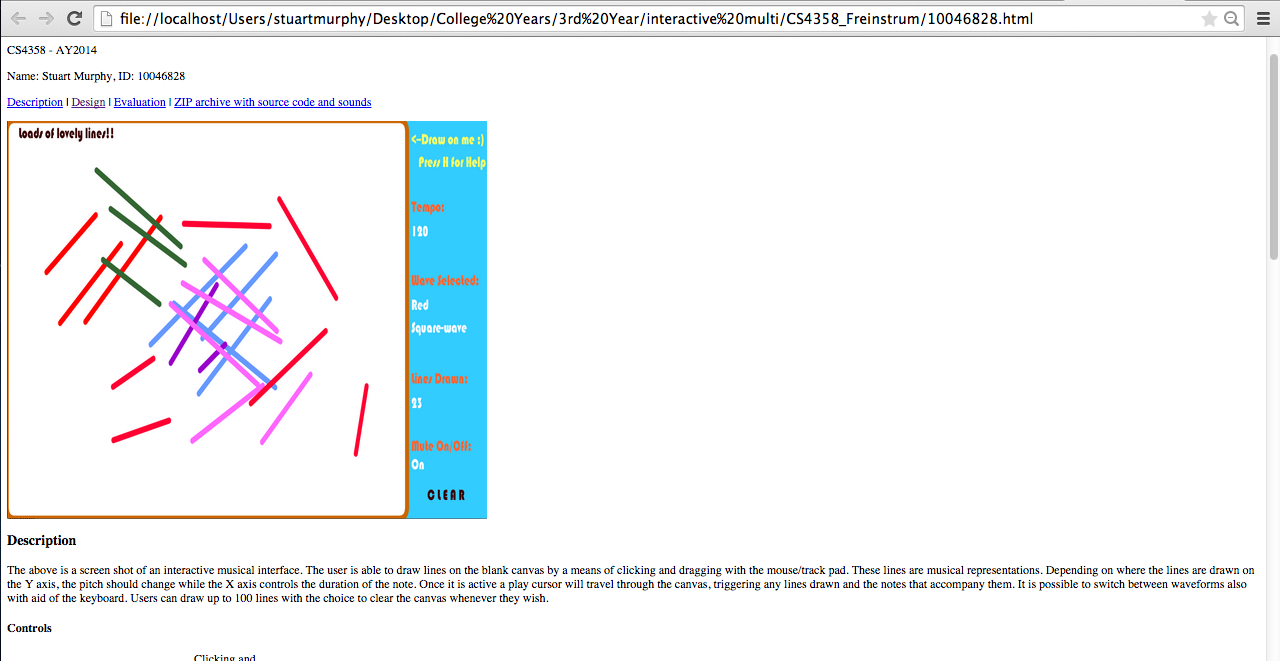
The aim of this project was to design, code, test, evaluate and document an application written in Processing: drawplay.

The application should has a window (a canvas) where the user can draw lines with the pointing device (mouse, trackpad).

  • Each line represents a simple synthesised sound, where the length of the line is the duration and the vertical is the pitch (the fundamental frequency).
  • A line in the left half of the window will play before a line in the right part of the window, based on a play-cursor (a vertical line) moving across the window from left to right.
  • When the play-cursor reaches the right hand side of the window, it will reappear at the left hand boundary and continue to play.
  • Play/stop is controlled by pressing the space-bar. It is possible to change between 5 different colours of the lines drawn by the user, by pressing the keys 1-5.
  • Each colour represents a specific timbre, red:sinewave, blue:square wave, etc.
  • The playback speed, i.e. how fast the play-cursor moves across the screen, can be changed by pressing up-arrow/down-arrow keys.
  • The source code of the finished application was uploaded to my individual web site on richmond.csis.ul.ie, placed in a simple web page together with a screenshot of the application.

HTML page:

HTML where project was uploaded

HTML where project was uploaded

Final Application:

Key Control Pac Man Character


Created 2011:

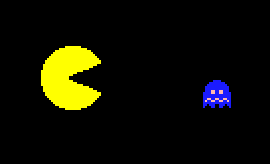
The aim of the project was to create the basic pac man character using Processing. This Pac Man character was to resemble the one from the famous arcade game PacMan in both looks and movement. I created code in which the movement of the character would correspond to which arrow key we pressed i.e. if the up key was pressed, the character would move up. Once I had successfully assigned each key an instruction, the difficult part was getting PacMan mouth to open/close and also have it facing in the correct direction when moving. It took me awhile to figure out where certain statements would be best allocated in the code and also size and colour settings of the character After much trial and error I was capable to perfect the code and my project was a success.

Within this project :

  • I enhanced mr programming skills in Processing with regards to if statements, booleans, key inputs and more
  • Broadened my knowledge with regards to writing code for user interactivity.
  • How to troubleshoot bugs and amend errors.

End product:

Screenshots of some of the code:  

Processing Code

Processing Code