Short Animation : Terms of Rhythm

Created 2012:

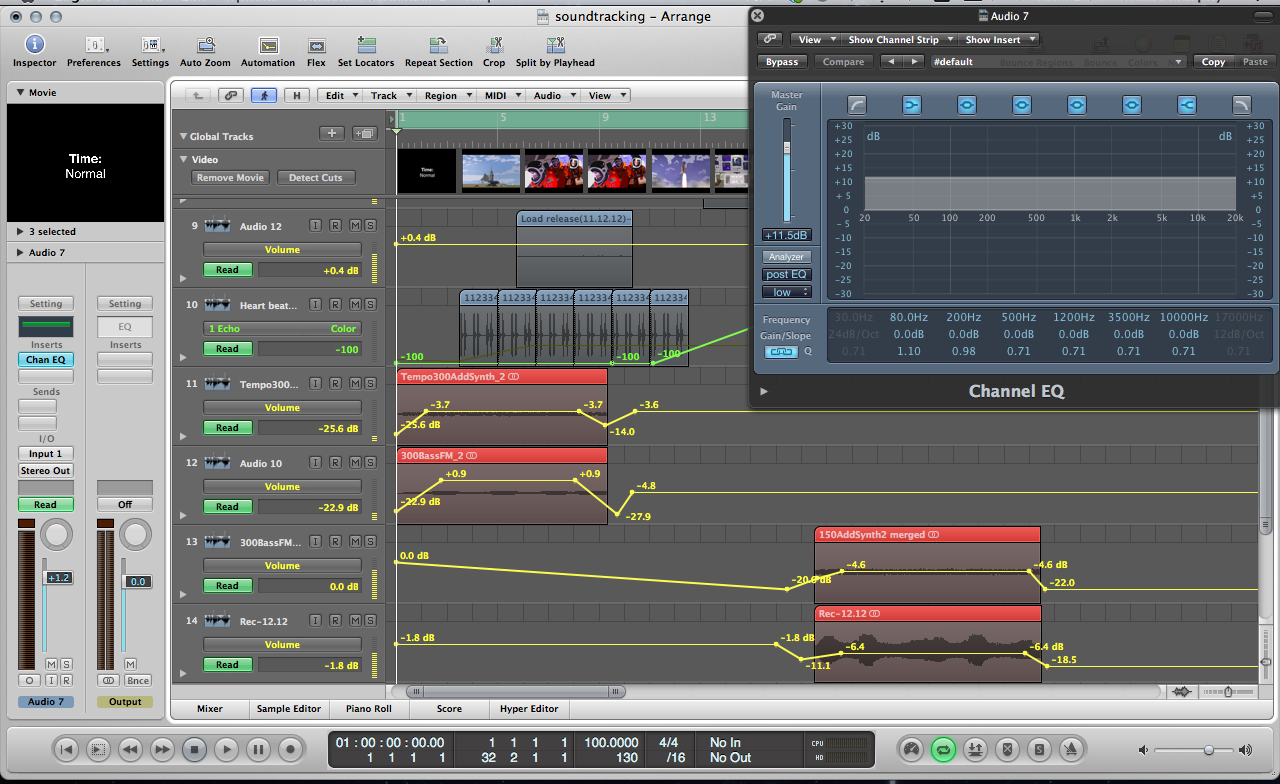
Short clip which combined the use of Max MSP instruments we created to correspond the actions of animation created using Adobe Illustrator.  This was a group project whereby my main responsibility was to create the composition that plays throughout the animation. The composition was created within Max MSP. Further edits were later made to the piece within Logic Pro, just to add an effect or two such as fade ins, volume control, reverb etc. We all shared the workload evenly with others focusing on the animation and sound effects.

Concept:

Terms of Rhythm’ explores the emotional aspects of the human psychological and psychophysical responses to events at different time scales. The word rhythm is taken in both its traditional musical sense of ‘regular recurrence, esp. of stresses’ (Chambers 20th Century Dictionary) and also in the broader sense of patterns occurring on scales which lie outside the span of perceptible rhythm where—ordinarily—’the perception of the rhythm, objective or subjective, disappears if the intervals are either too short or too long’ (Fraisse, 1982). It is a study of the human experience of time exemplified in the special case of an astronaut manning a launching space shuttle. The event of the launch is played at 3 different time scales: normal, 1/20th speed, and x50 speed respectively. It is observed that the experience of tension is diminished on those scales far removed from normal human perception raising the question of whether or not the metaphysical essence of the event (as a whole) is maintained invariantly across different time scales. A musical composition characterised by having both slow, serene sections alternated with contrasting fast, frenetic sections is layered over the 3 time sections such that each rate of time is experienced with both slow and fast dynamics. This challenges the viewer’s assumptions of what the astronaut is experiencing emotionally.

Screenshots:
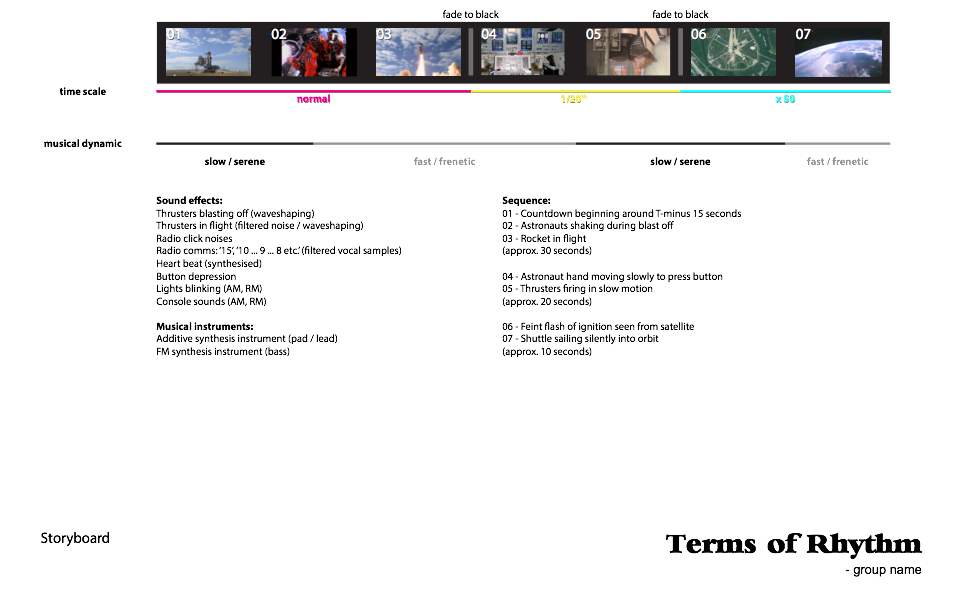
Storyboard
Storyboard

Edits in Logic

Edits in Logic

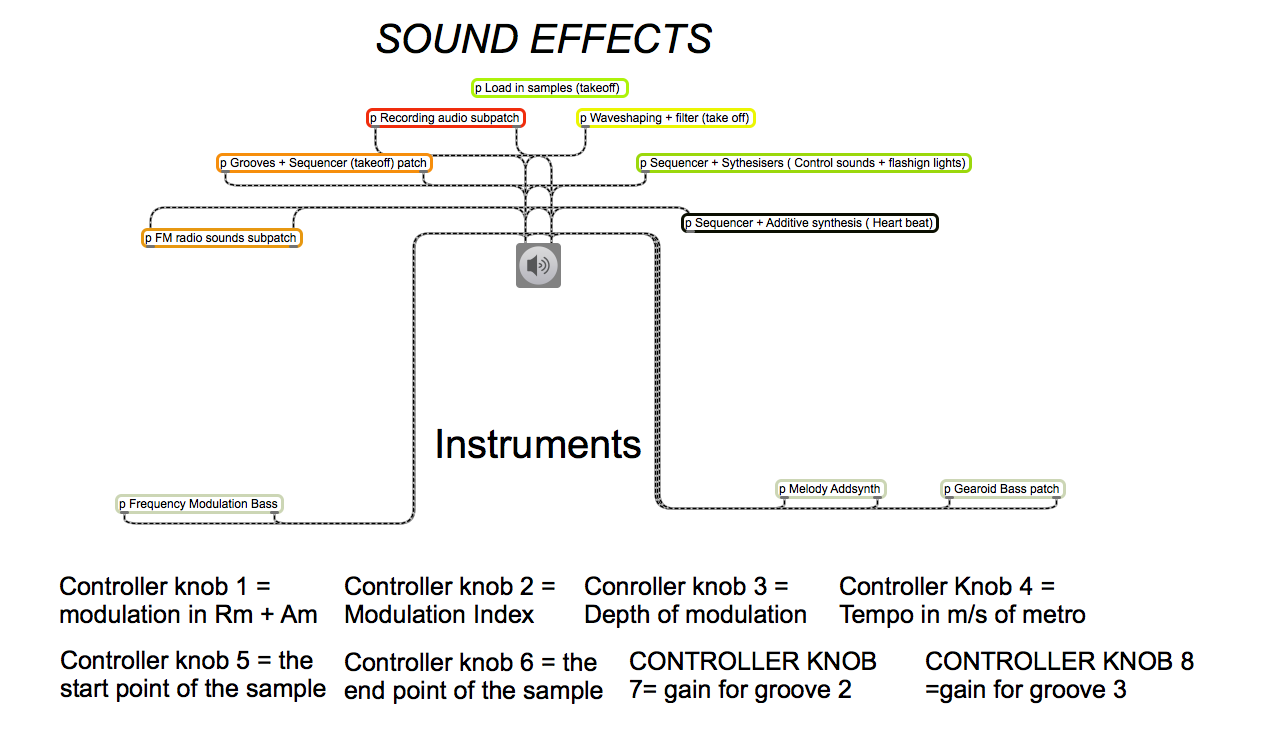
Max MSP Instrument sub patches
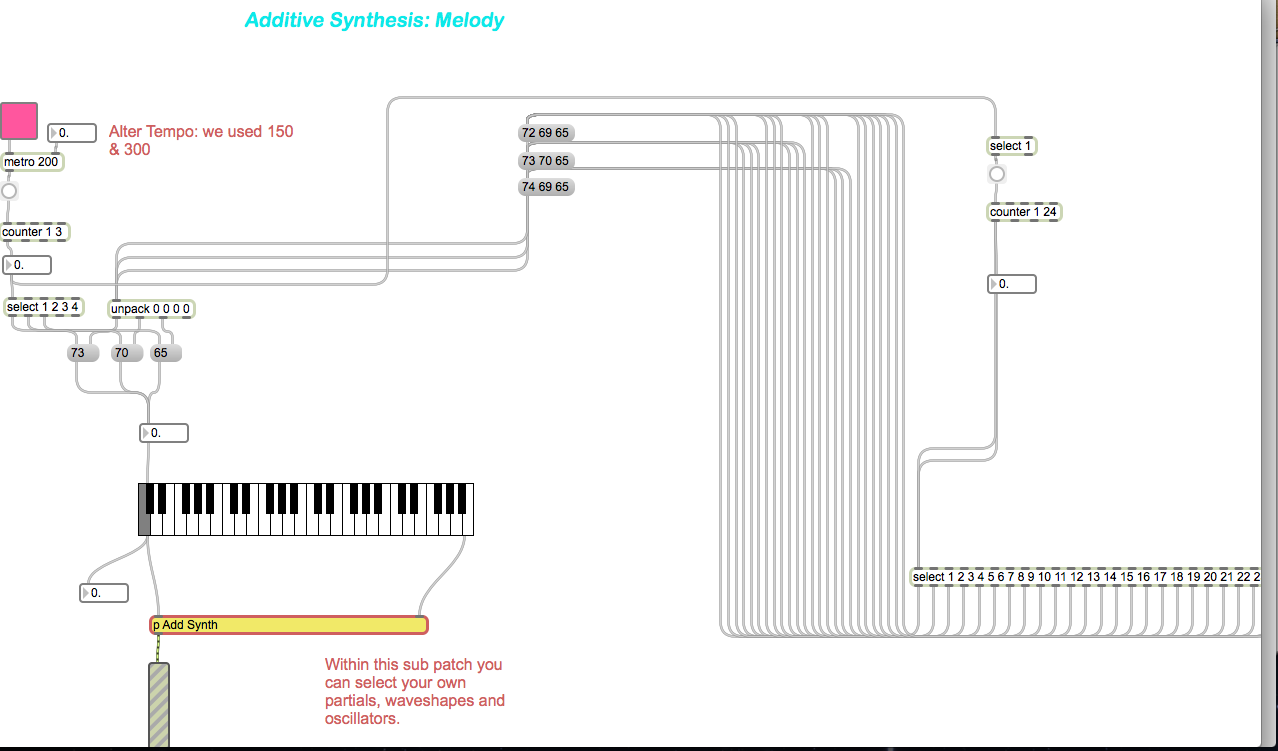
Max MSP Instrument sub patches

Max MSP patch segment
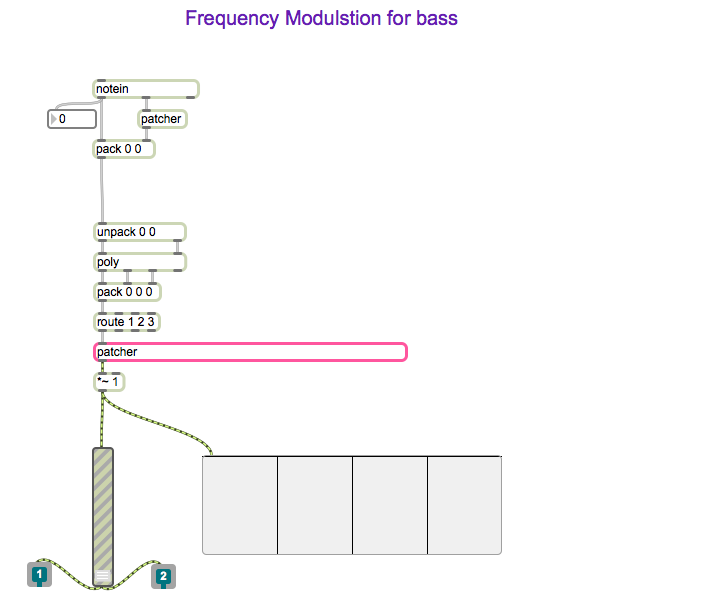
Max MSP patch segment

Max MSP patch segment

Max MSP patch segment
Mario’s Underworld remix using Logic Pro


Created 2011:

We were given a short MIDI file of Mario’s Underworld theme and were to perform our own remix. It was an opportunity for us to practice tempo change, effects, transposing, pen tools, MIDI keyboards and other various tools affiliated with Logic Pro. We were allowed our own creative input as long as the main theme was not lost on the listener. This was one of my earlier projects using Logic Pro and have since become far more familiar with its operations and my ability in using the software is greater.

This was the outcome of my project:

Logic Pro Screenshot

Logic Pro Screenshot

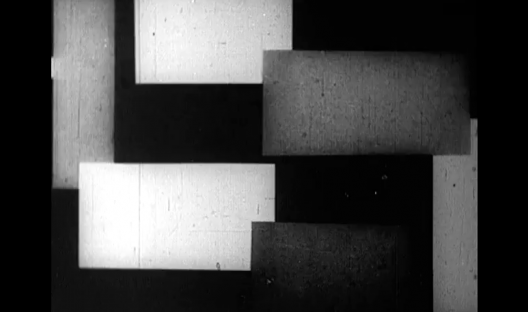
Hans Richter Project: Adding audio to visual piece


Created 2011:


As part of my module Digital Media Software & Systems 1, I was required to create my own audio piece to play over the abstract film ‘Rhythmus 21’ by Hans Richter.  This  was one of my first projects using Logic Pro. My aim was to play my own midi files I had created over the silent video and also incorporate audio files. I was excited to be given such a project as it would challenge my skills using Logic Pro and my ability to combine sound and film.

How I approached it:

To begin with, I first watched the entire ‘Rhythmus 21’ video  to see if any ideas jumped out at me. Seeing as it was an old fashioned video, I decided that a contemporary composition would not suit it and that classical instruments would be best suited.  I searched through various sound files in order to find ones that suited the video. My aim with the sound files was to insert audio files that worked with the video. For example when shapes seemed to be approaching the viewer, I inserted audio which was ascending and increasing in volume. The shapes actions would each have a corresponding noise effect. With the assistance of the markers, I was capable of selecting exactly where I wanted to put my audio files. I made several audio files from my three selected sound files I chose.  I then edited the audio files to add more realistic effect, i.e. fade ins, fade outs, reversing etc., to the shapes actions.

Screen Shot of my editing

Correct use of automation gave the shapes life. Within the mixer, I grouped the three audio tracks and added a suitable reverb effect. Once I was satisfied with the audio effects, I composed my instrument MIDI files around them. I did not want to take from the audio effects so I kept it simple by adding only three instruments. I tested it out with more instruments but it just felt too congested. A classical sound of strings and piano seemed suitable for this project. I added a basic drum beat and sent it through Bus 1 to suit the mood of the video. My objective was to create a composition where by the audio files acted as sound effects of the moving shapes and the MIDI instruments could set the tone of the video.

From this project:

  • I significantly strengthened my skills regarding Logic Pro and how to create a composition.
  • I learned how to incorporate my own audio samples into a video segment
  • How to place the audio files in the exact best position of the video.