Mobile Application Basics: BlueJ

In my third year of college I chose Mobile Application as my elective. This module appealed to me because I have a passion for creating code whereby the end product can produce fascinating results. I wanted to enhance my programming skills with regards with mobile application in order to strengthen my skill set and better my chances in the future of obtaining employment. Weekly labs were very beneficial and provided me with the foundational knowledge required before tackling advanced projects in Mobile Application. The module primarily focused on using BlueJ but it is an intention of mine to further educate myself in the near future with regards to creating mobile apps and using Java software.

World Clock Development

World Clock Development

Lab Work

Lab Work

Our final project was to develop an application that will allow users view several times (or clocks) on their screen simultaneously. This type of application is often packaged in Smart-phones and other devices. The application was to provide the user with a list of cities/locations to choose from. The user should be able to select one (or more) cities and then click on the “plus” button (or its equivalent) to add them to the display. Selecting a city or cities and clicking on the “minus” button (or its equivalent) should remove those cities from the display. This projects, and smaller ones before this, displayed the use of layout managers, containers, colours, fonts, borders, spacing and so on.

Below is a video showcasing the final project and some other the other lab works:

Java & JMusic


Created 2011:

During my 1st year studying Media Programming, learning the basics of the Java language was foundational. We would practice different coding each week so we would become familiar with inputting data, why we were inputting it, what to expect and also how to troubleshoot errors we come across. Below I have taken screenshots of the three projects that made up part of our end term. The projects were a mixture of sound, using JMusic library, and user input. Click on the images below to see my work and explanation of specific segments of code.

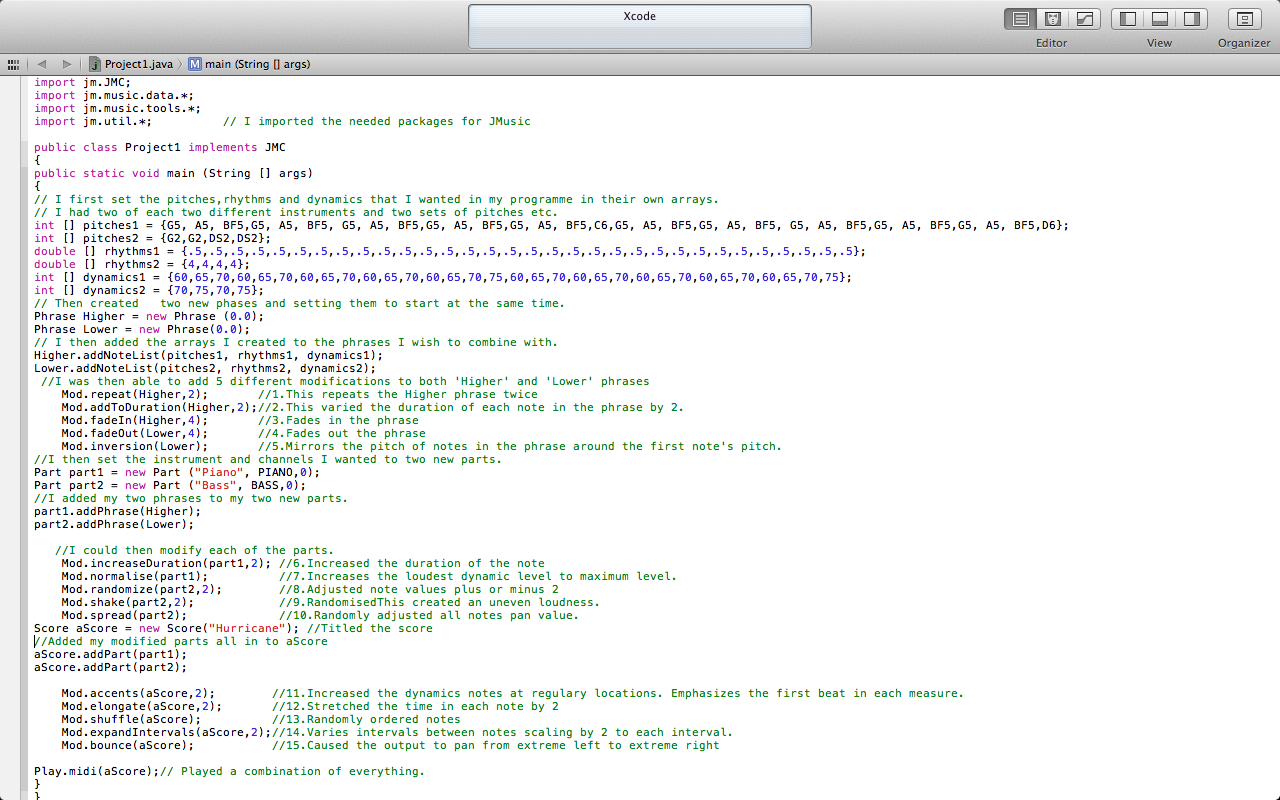
Project 1: Within this project, I wrote a programme which used arrays, phrases, parts and scores to give a midi output. As seen in the image I first declare my variables. Phrase then sets the time I want the melody to begin. Part sets the instruments and channels I wish to use. Ultimately these all go to aScore. During this process I add modifications to each part to display what Jmusic is capable of.

Project 1 Source Code

Project 1 Source Code section


Project 2: In this second project, we once again used JMusic but this time we were to integrate a menu using JOptionPane.showInputDialog. When the user ran the programme, a menu would appear display options to select from. Depending on which number was selected, it would run this process. This programme was written to upload files and preform the task selected at the menu.

Project 2 Source Code Section

Project 2 Source Code Section

Project 2 Source Code Section

Project 2 Source Code Section


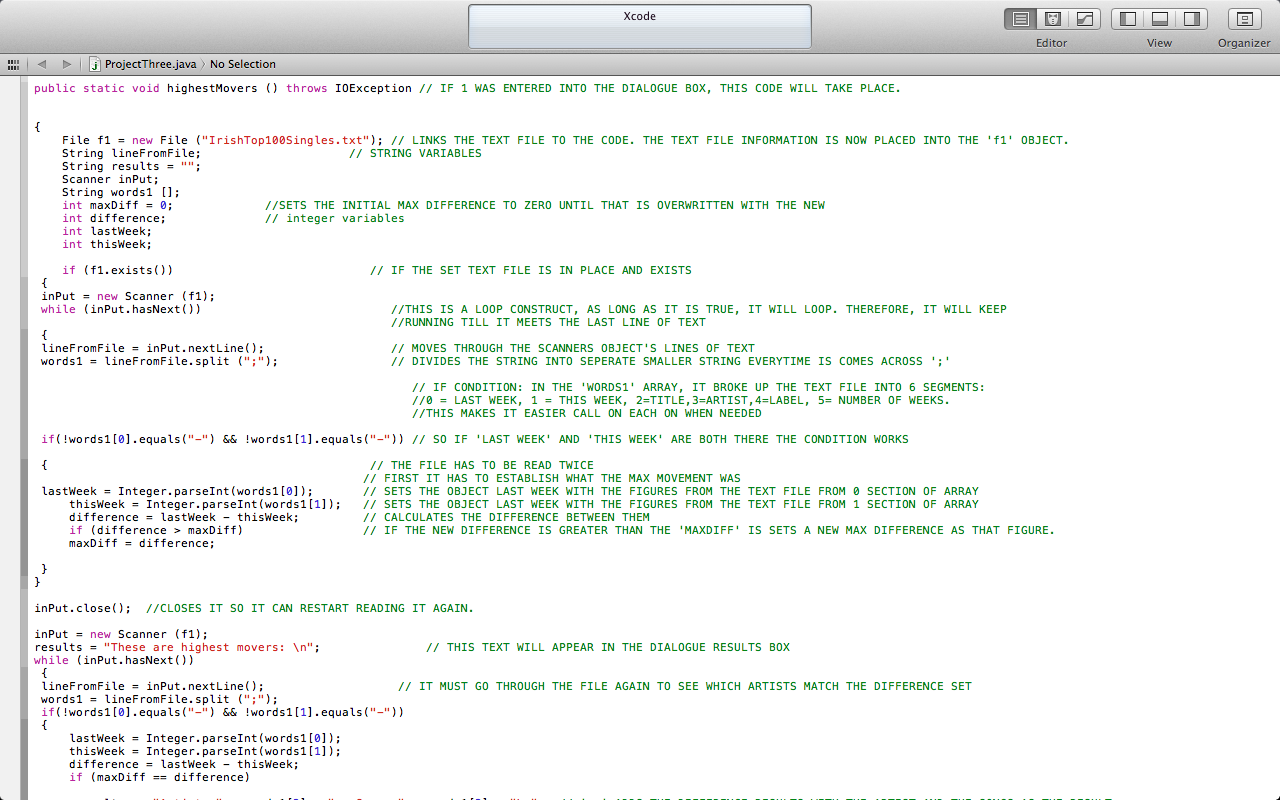
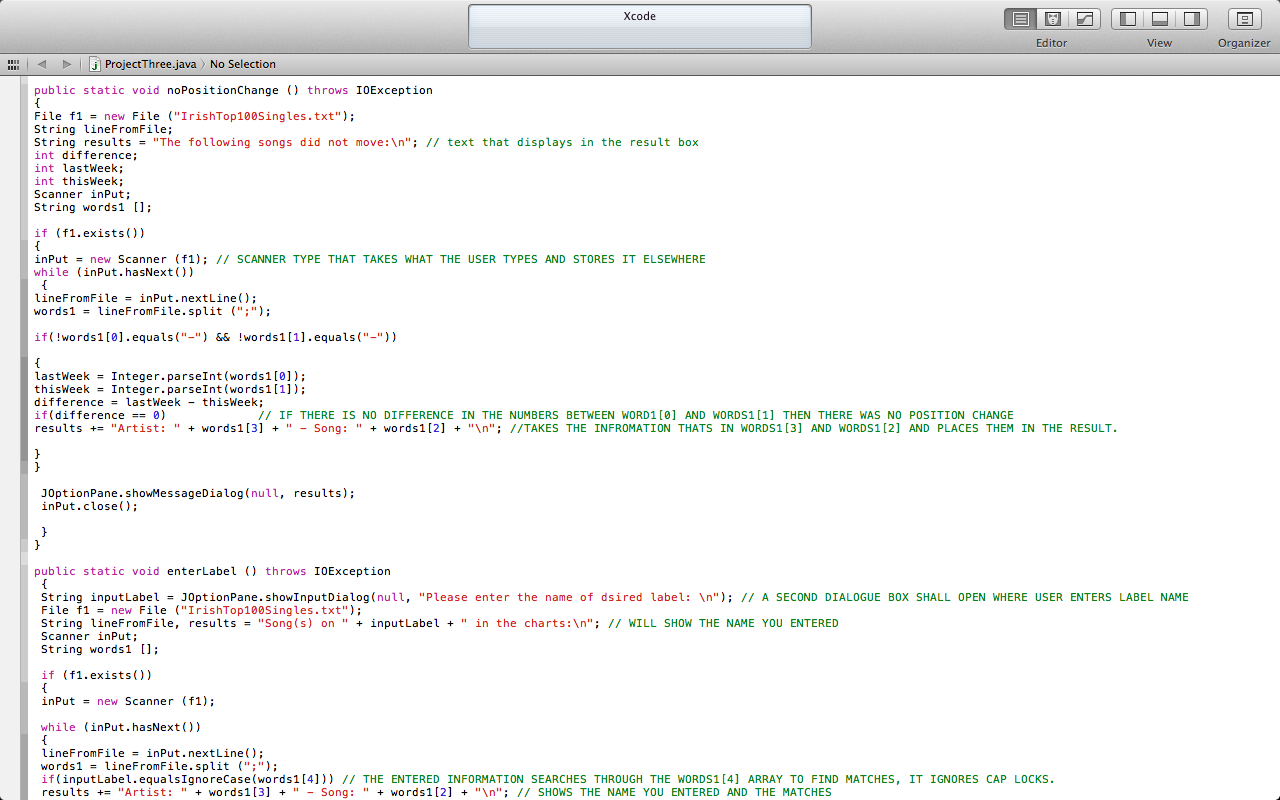
Project 3: Within this programme, a menu will appear to the user which will display a few options for them. The difference with this programme is that I imported a scanner. This means that Java will read the text files I have saved along with the programme and will calculate the outputs based on these text files.

Project 3 Source Code Section a

Project 3 Source Code Section a

Project 3 Source Code Section b

Project 3 Source Code Section b


Project 3 Source Code Section c

Project 3 Source Code Section c