Processing: Twitter Balloons

Created 2014:

The objective of this project was to create an audio-­visualizer of data from a web-­stream. It works in fullscreen on a screen of any resolution. It is an an exported application that makes use of a settings.txt file  to setup the parameters of the system. Info-visualizations need to tell the story of the data in a minimal & attractive way. The system should:

1. Acquire & Parse the data stream
a. Computer Science

2. Filter & Mine for only the data that you need
a. Mathematics & Statistics

3. Represent as information reveals story/pattern behind the data
a. Graphic Design

The real time data that I used for this visualization is what could be acquired from Twitter. From using the Twitter API, peoples names, screen names, keywords, topics, followings, location etc. could be streamed. This data stream would then be filtered for only the information that I desire. The values obtained are used to scale outputs i.e. the length of the screen names, determined how big a balloon would look. The nature of the data stream Twitter provides reflects more on the personality of a user. It creates a digital clone of a user that exists in this ‘cloud’.

Initial Design

Initial Design

Twitter is used as a medium for users to share their thought at that particular instance with the world. People are then willing to let go of that information to higher power, which is this ‘cloud’. All this data is accumulated from all over the world with thoughts, opinions, topics etc. all co existing. The fundamentals of the graphic is design is to depict how all these opinions of the world exist and float out there separately but held together by the common denominator which is Twitter. I created what looks like balloons floating in the sky.

Development with PImage

Development with PImage

As the programme runs, the amount of tweets shall increase. As they accumulate, the user can observe and study how opinions may vary in certain topics. All these different opinions are tied together by this cloud of data. The center circle will slowly increase in size as the tweets build up and things become more chaotic. The user can also compare the ratio between people having followers to following people through the number/bar display. If they change (or add to) the, txt. file, they can compare the frequency of keywords being tweeted. Things appear calmer with less amount of tweets on the screen.

Demonstration:

Music – YogaBrickCinema: https://www.youtube.com/watch?v=BUaFugdLWyE

Video Explanation:

What I enhanced:

  • The use of classes
  • Better understanding of arraylists
  • How to import real time data and use it as I like.
Processing: Generative Screensaver

Created 2014:

For this project, I created a standalone generative visual to run in fullscreen on a computer screen of any resolution. This was done using Processing. The visual is open­‐ ended so that it can run indefinitely. In the initial stages of my project, I researched what kind of animation could be most engaging to a viewer. I wanted to create something that looped over and over but changed its variables such as colour, scale, and direction of movement repeatedly. I wanted to create some form of kaleidoscope in its simplest form. The image changing but previous elements of movement remain. I drew influence from the kaleidoscope works of Jordi Bofill of Cosmo Arts.

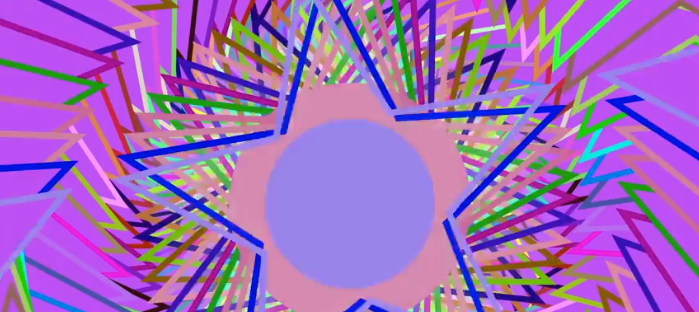
The graphic design is made up of five stars that each have an ellipse with in the center of them. These stars and ellipses all have outer stroke colours also. The colours of each star and ellipse are the same(bar the center), yet it’s the outer strokes and how they behave with movement are what makes this visual interesting. It is the center ellipse that is considered the center focus. With this ‘screensaver’ there are numerous dynamics. The piece is always zooming in and out. It is continuously rotating (based on the key selected for desired direction). It can be clicked and dragged to change the center points of the image. What is most interesting is the random colour changes to the outer strokes and the diameter of the center ellipse. Pressing space also resets angle and zoom to begin again. Its behaviour is somewhat similar to Spiro graph.

Using ‘if’ statements I was able to implement limits to the dynamics. It can only scale so far until the if statement sets a boolean true and changes the value of the rate I have designed causing the scale to either increase or decrease. The direction keys could also serve as a threshold as they dictate with direction/angle the image should move.

Final Product:

Short Animation : Terms of Rhythm

Created 2012:

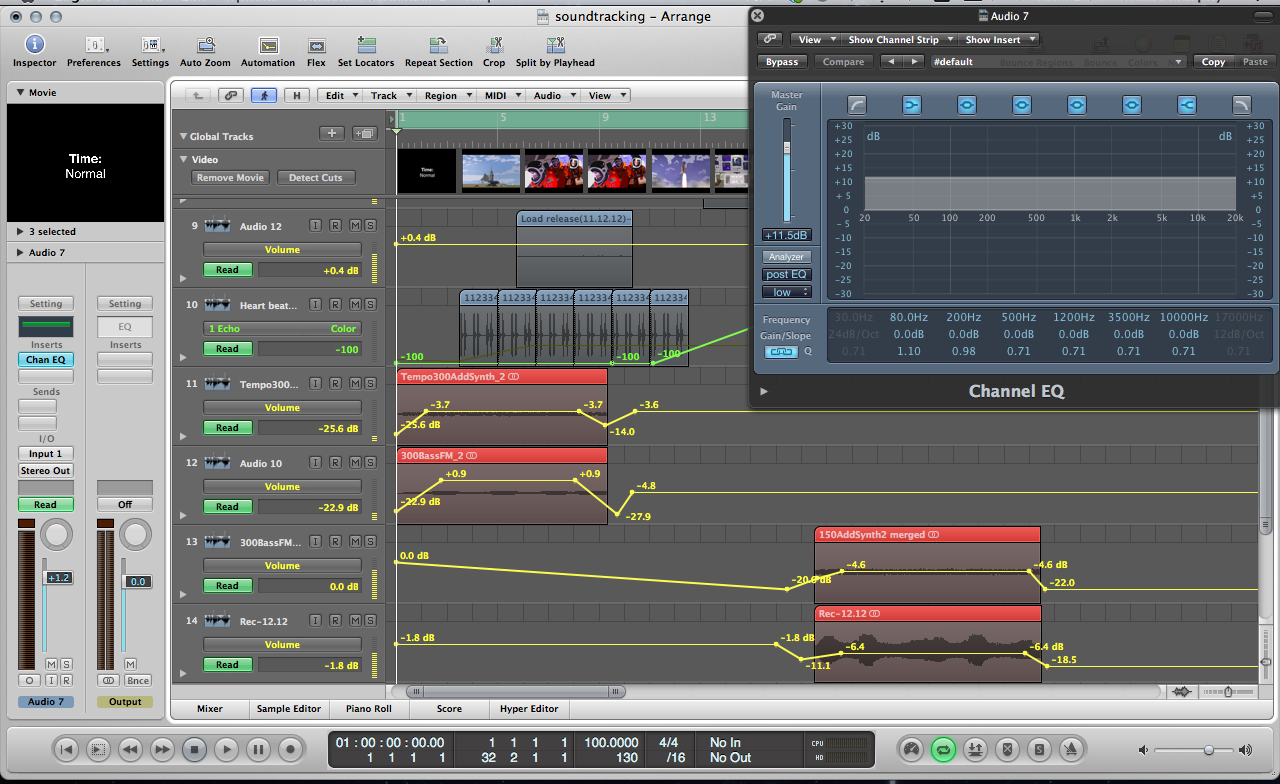
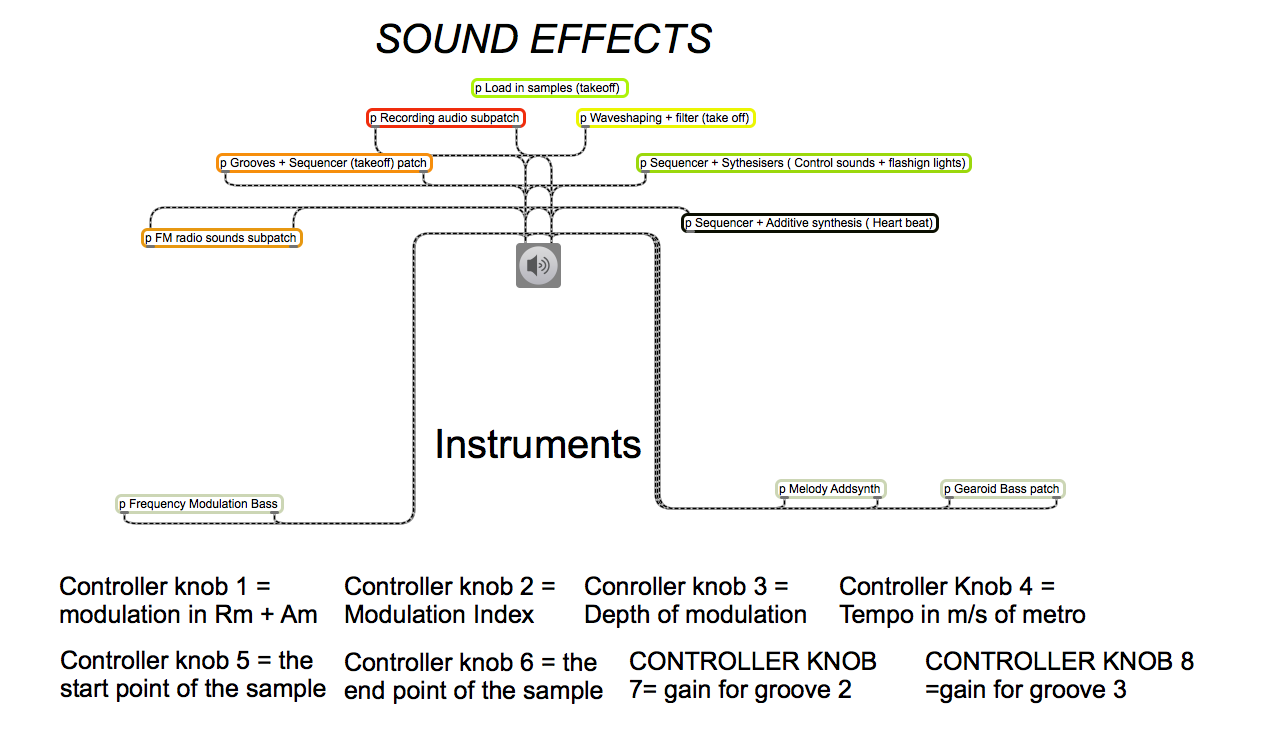
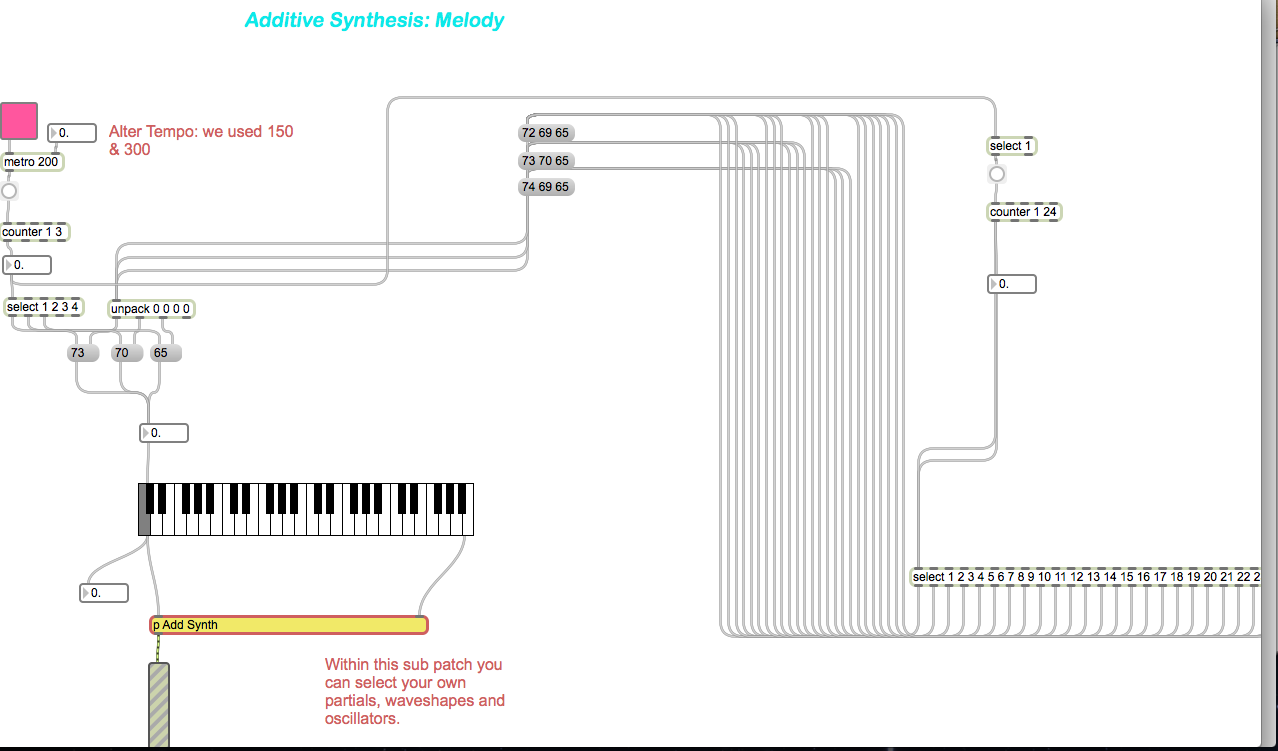
Short clip which combined the use of Max MSP instruments we created to correspond the actions of animation created using Adobe Illustrator.  This was a group project whereby my main responsibility was to create the composition that plays throughout the animation. The composition was created within Max MSP. Further edits were later made to the piece within Logic Pro, just to add an effect or two such as fade ins, volume control, reverb etc. We all shared the workload evenly with others focusing on the animation and sound effects.

Concept:

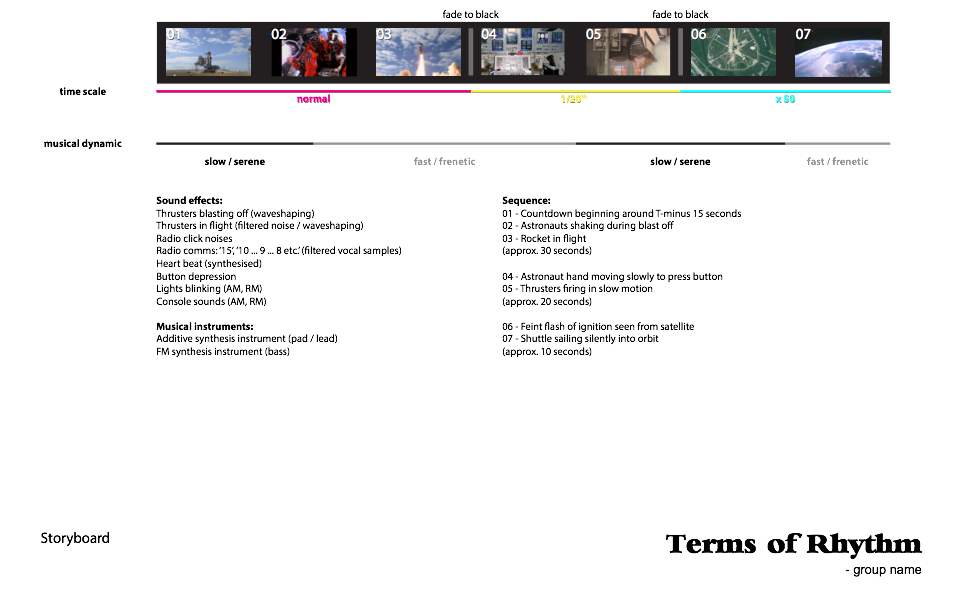
Terms of Rhythm’ explores the emotional aspects of the human psychological and psychophysical responses to events at different time scales. The word rhythm is taken in both its traditional musical sense of ‘regular recurrence, esp. of stresses’ (Chambers 20th Century Dictionary) and also in the broader sense of patterns occurring on scales which lie outside the span of perceptible rhythm where—ordinarily—’the perception of the rhythm, objective or subjective, disappears if the intervals are either too short or too long’ (Fraisse, 1982). It is a study of the human experience of time exemplified in the special case of an astronaut manning a launching space shuttle. The event of the launch is played at 3 different time scales: normal, 1/20th speed, and x50 speed respectively. It is observed that the experience of tension is diminished on those scales far removed from normal human perception raising the question of whether or not the metaphysical essence of the event (as a whole) is maintained invariantly across different time scales. A musical composition characterised by having both slow, serene sections alternated with contrasting fast, frenetic sections is layered over the 3 time sections such that each rate of time is experienced with both slow and fast dynamics. This challenges the viewer’s assumptions of what the astronaut is experiencing emotionally.

Screenshots:

Storyboard

Storyboard

Edits in Logic

Edits in Logic

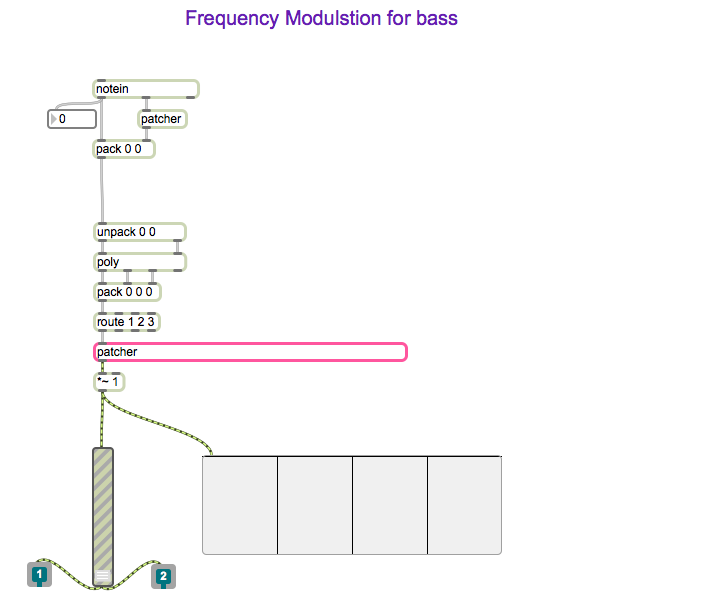
Max MSP Instrument sub patches

Max MSP Instrument sub patches

Max MSP patch segment

Max MSP patch segment

Max MSP patch segment

Max MSP patch segment