
The aim of this project was to design, code, test, evaluate and document an application written in Processing 2.
The application has a window (a canvas) where the user can draw lines with the pointing device (mouse, trackpad).
- Each line represents a simple synthesised sound, where the length of the line is the duration and the vertical is the pitch (the fundamental frequency).
- A line in the left half of the window will play before a line in the right part of the window, based on a play-cursor (a vertical line) moving across the window from left to right.
- When the play-cursor reaches the right hand side of the window, it will reappear at the left hand boundary and continue to play.
- Play/stop is controlled by pressing the space-bar. It is possible to change between 5 different colours of the lines drawn by the user, by pressing the keys 1-5.
- Each colour represents a specific timbre, red:sinewave, blue:square wave, etc.
- The playback speed, i.e. how fast the play-cursor moves across the screen, can be changed by pressing up-arrow/down-arrow keys.
- The source code of the finished application was uploaded to my individual web site on richmond.csis.ul.ie, placed in a simple web page together with a screenshot of the application.
HTML page
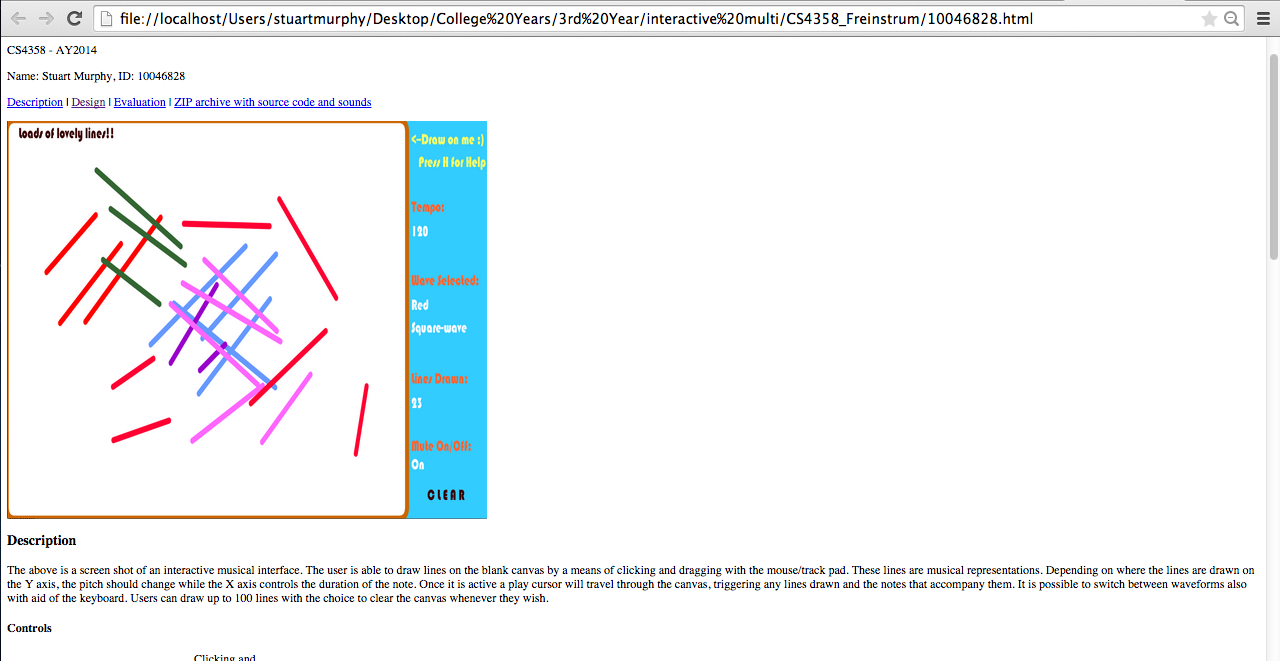
HTML where project was uploaded
 Stuart Creates