I have created multiple small apps this week. Nothing amazing, but a start point nonetheless. I performed exercises that implemented layouts, user inputs, images, buttons and also started incorporating classes to my Java files. The four most notable apps I made this week are:
- Currency Convertor
- Note Taker
- Higher Lower Game
- Square/Triangular Calculator
Currency Convertor implemented the use of ImageView, TextView, EditView, Toasts and Button. Not the most complicated application, but it allows users to enter an amount of Euros in the test field which would then convert into British Pounds after pushing the button. This taught me a lesson about ensuring I correctly convert variable types i.e. String to Double.
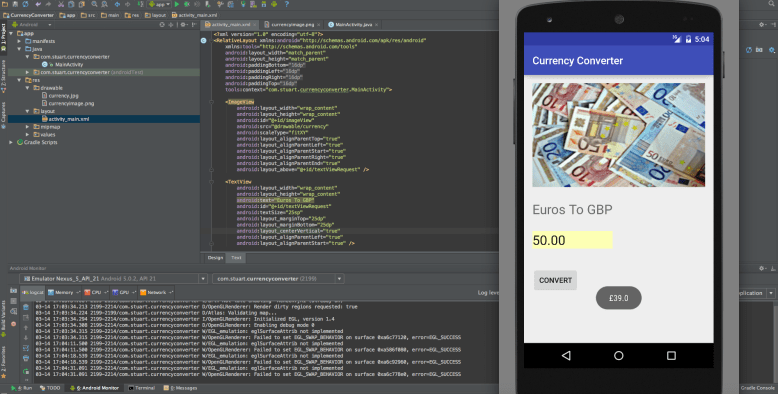
Currency Convertor
Note Taker was an opportunity for me to experiment with ArrayLists and ArrayAdapters (which is essentially a bridge between data stored and UI). Users are capable of adding “notes” onto the screen. Again, very basic. Down the road I will build on these ideas adding multiple functionality i.e. removing items, saving lists etc. Its still really the starting point for me so don’t expect world changing applications in the next week or so.
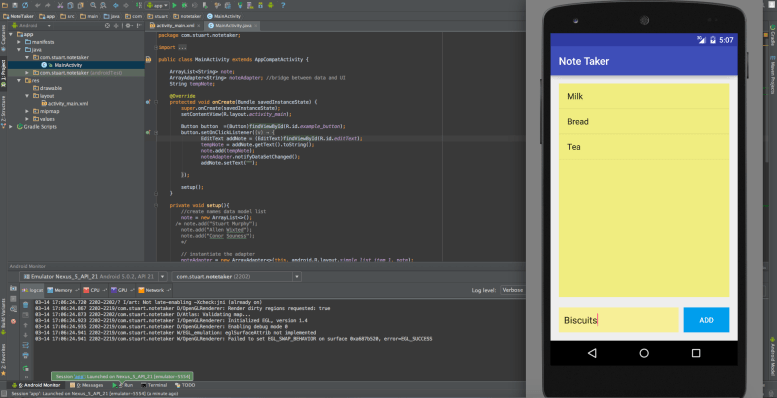
Note Taker
Higher Lower Game once again implemented user text field entry. The application prompts the user to guess a number between 0-20 and then guides them to whether their guess is too high or too low. Notably this programme used the Random Class. I have used this classes countless times before but for the purpose of this “starting from scratch” mobile app journey…its a first! I also implemented some error prevention. In a likely scenario a user enters “nothing” I needed to avoid the programme crashing. Ordinarily I would use a try/catch setup but seeing as the user is pretty limited to either either choosing an integer or a blank string, I just used a simple ‘if’ condition.
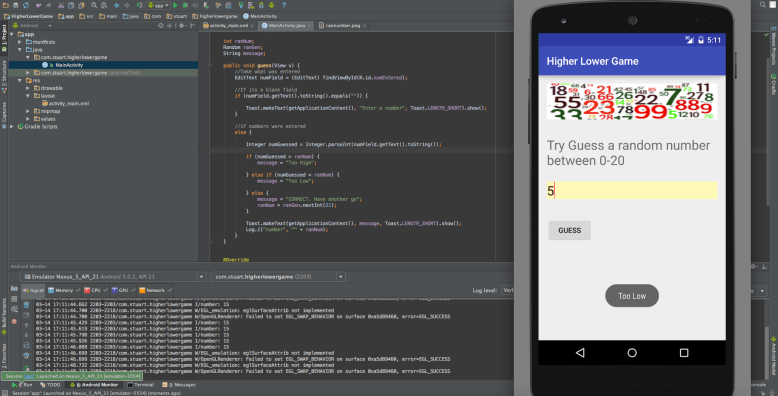
Higher Lower Game
Square/Triangular Calculator would be the most Java work involved in these basic apps to date. Within this programme I began to start implementing classes. So every time a user entered a number they were actually creating an object relative to the Number class I created under the hood. Once the button was clicked, the programme would run two methods and do some calculating to see whether it was a square or triangular number. The results are then displayed to the user as a pop up message.
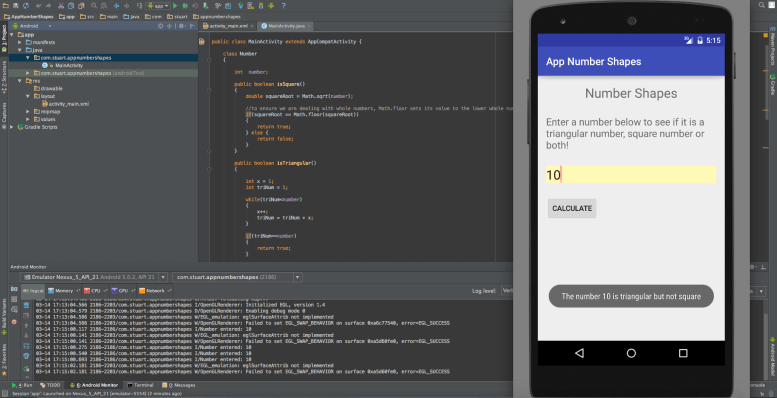
Square/Triangular Calculator
 Stuart Creates